ERP & Finance Integration in Saudi Arabia: A Practical Guide
ERP and finance integration in Saudi Arabia connects accounting ledgers, accounts payable, accounts receivable, payment providers, and operational systems through controlled data flows.
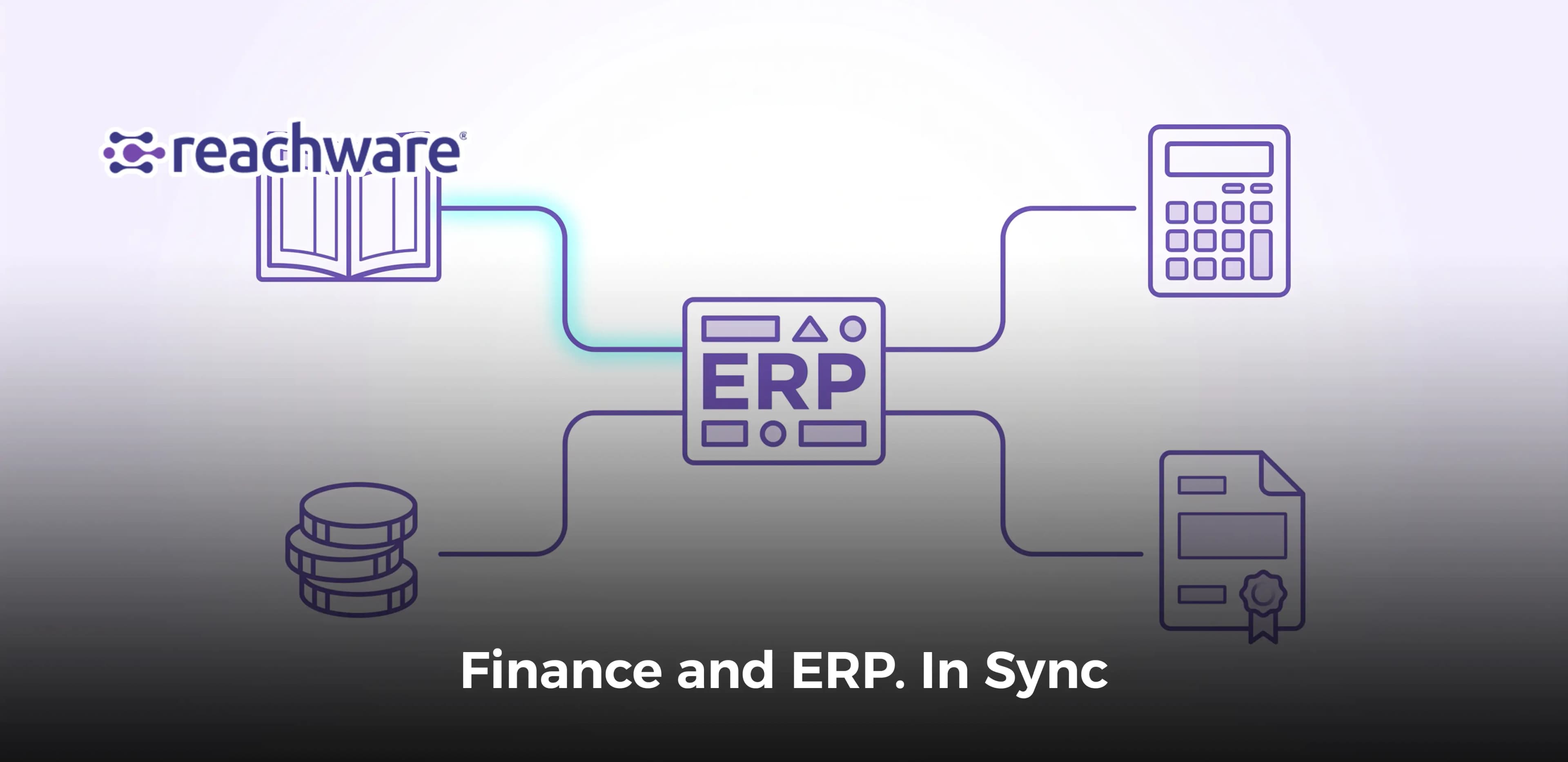
ERP and finance integration in Saudi Arabia connects accounting ledgers, accounts payable, accounts receivable, payment providers, and operational systems through controlled data flows. It helps businesses reduce manual posting, reconcile settlements, monitor exceptions, and preserve audit trails. Successful implementation requires approved ledger mapping, transaction references, financial controls, and secure integration architecture. This guide explains the process, implementation steps, Saudi compliance considerations, measurable KPIs, vendor selection, and when Reachware Connect is worth evaluating.
Executive Summary: What Problems Does ERP and Finance Integration Solve?
- Disconnected financial records: ERP, accounting, banking, POS, and sales applications may contain different transaction information, leaving finance teams without a consistent view of revenue, expenses, liabilities, and cash activity.
- Repeated manual accounting entries: Employees transfer invoice, payment, expense, and settlement information between systems, increasing administrative workload and the risk of incorrect or duplicate entries.
- Inconsistent ledger mapping: Transactions may be assigned to the wrong general ledger account, cost center, business unit, or legal entity when accounting rules differ between applications.
- Unreconciled bank transactions: A payment may appear as completed in a gateway but remain unmatched against the bank statement or the corresponding receivable.
- Delayed accounts payable processing: Supplier invoices can remain unprocessed because purchase orders, goods receipts, approvals, and finance applications are not connected.
- Incomplete accounts receivable records: Customer invoices, receipts, credit notes, and settlements may not be linked correctly, creating inaccurate outstanding balances.
- Duplicate payments or invoices: Repeated notifications, incorrect references, or uncontrolled retries can generate duplicate financial records or payment requests.
- Missing approval checkpoints: Supplier bank changes, payment releases, manual journals, and material financial adjustments may bypass the required authorization process.
- Weak audit trails: Finance teams may struggle to determine who approved a transaction, which source created it, what changed, and when it was posted.
- Inconsistent financial periods: Transactions may enter the wrong accounting period because operational timestamps, invoice dates, and ledger posting dates are treated as interchangeable.
- Limited multi-entity visibility: Companies operating multiple legal entities or branches may report inconsistent totals because account structures and organizational dimensions are not mapped properly.
- Slow financial closing: Manual reconciliations, unmatched subledger balances, and unresolved integration errors increase the effort required to complete monthly reporting.
- Unclear Saudi compliance responsibilities: Businesses may assume that connecting accounting software automatically satisfies ZATCA e-invoicing, VAT, recordkeeping, or data-protection requirements.
What Should a Reliable Finance Integration Deliver?
- Consistent accounting records: Every eligible source transaction reaches the intended financial process with the correct account, legal entity, currency, and supporting reference.
- Controlled AP/AR workflows: Supplier obligations, customer receivables, payment applications, and related corrections follow approved processes.
- Traceable reconciliation: Finance teams can follow transactions from their source records through accounting entries and settlement evidence.
- Protected financial controls: Approvals, period locks, validation rules, and segregation of duties remain effective after automation.
- Visible exceptions: Failed, duplicated, delayed, and unmatched transactions enter a monitored resolution process.
- Faster financial operations: Teams can measure reductions in manual handling, reconciliation effort, and unresolved reporting differences.
The goal is not to automate every accounting decision. It is to exchange verified information while keeping financial posting, approval, and reporting responsibilities with the authorized systems and teams.
Connecting ERP Ledgers with Financial Applications
1. Understand General Ledgers and Subledgers
Financial integration starts by separating detailed business transactions from the general ledger used for financial reporting.
- General Ledger (GL): Records approved accounting entries using the organization's chart of accounts, fiscal periods, currencies, and financial dimensions.
- Accounts Payable (AP) Subledger: Maintains supplier invoices, approved obligations, payment applications, credit notes, and outstanding vendor balances.
- Accounts Receivable (AR) Subledger: Maintains customer invoices, receipts, credit adjustments, and outstanding amounts owed by customers.
- Cash and Bank Management: Records approved payment and bank activities and supports reconciliation against bank statements.
- Operational Applications: Provide sales, procurement, expense, inventory, payroll, or other source transactions that may require accounting treatment.
- Integration Layer: Transfers and validates eligible information between applications but does not independently establish the accounting treatment unless that capability has been expressly implemented and authorized.
2. Establish Accurate Ledger Mapping
Ledger mapping converts source transaction attributes into the account and financial dimensions required by the destination accounting system.
An effective mapping should address these elements:
- Chart of accounts: Connect each approved financial event to the correct GL account, such as revenue, receivables, payables, expenses, taxes, or clearing accounts.
- Legal entity: Preserve the company responsible for the transaction so journals are not assigned to another entity by mistake.
- Cost center: Apply the organizational dimension used for departmental or branch-level reporting.
- Transaction classification: Distinguish invoices, payments, credit notes, refunds, fees, accruals, and other accounting events.
- Currency and exchange rates: Retain the original transaction currency and apply the accounting system's approved conversion rules.
- Posting date: Use the correct accounting period rather than assuming the operational event timestamp is always the posting date.
- Tax treatment: Preserve approved VAT classifications and taxable amounts without allowing the integration layer to invent tax decisions.
- Mapping version: Record when account-mapping changes become effective and which rules processed historical transactions.
3. Define Source Ownership and Posting Rules
- Accounting authority: The designated ERP or financial application should control approved journal creation, posting periods, and ledger balances.
- Invoice authority: The finance or invoicing system responsible for each document should control its issuance, status, and correction process.
- Payment authority: Banking or approved payment applications confirm payment processing and settlement events according to their actual capabilities.
- Master data authority: Approved teams maintain customer and vendor identifiers, financial accounts, tax attributes, and organizational dimensions.
- Financial approval: Accountants and authorized managers review adjustments that require judgment or exceed established thresholds.
- Error ownership: The responsible application team corrects invalid source records, while finance approves changes affecting accounting outcomes.
4. Map Financial Transactions from Source to Ledger
Transaction or field | Source application | Financial destination | Mapping requirement | Validation |
Sales order ID | POS, CRM, or OMS | ERP or AR | Preserve source reference | Existing eligible order |
Customer account | CRM or ERP master data | AR | Approved customer relationship | Correct legal entity |
Sales invoice | Invoicing or ERP | AR and GL | Invoice type, amount, and account | Approved document |
Supplier invoice | AP or procurement | AP and GL | Vendor, expense, tax, and payment terms | Valid invoice reference |
Purchase order | Procurement | AP matching workflow | PO ID and approved amount | Authorized purchase |
Goods receipt | Inventory or WMS | AP matching workflow | Receipt, quantity, and item ID | Confirmed receipt |
Revenue account | Financial mapping rules | GL | Approved chart-of-accounts code | Active valid account |
Expense account | Finance or procurement | GL | Expense classification | Authorized cost category |
Cost center | Organization master data | GL | Valid financial dimension | Entity-specific mapping |
VAT amount | Approved tax process | ERP and tax records | Tax type and amount | Correct tax treatment |
Payment authorization | Gateway | Payment workflow | Authorization reference | Not treated as settlement |
Captured payment | Payment provider | AR or clearing process | Capture and invoice references | Confirmed payment state |
Gateway fee | Settlement statement | GL | Separate expense or fee treatment | Provider statement match |
Bank deposit | Bank statement | Cash reconciliation | Deposit date and reference | Confirmed banking record |
Customer refund | Payment provider | AR and GL | Original payment and refund ID | No duplicate adjustment |
Credit note | Invoicing system | AR/AP as applicable | Original invoice reference | Valid approved document |
Supplier payment | Approved AP process | Bank and finance | Beneficiary and payment reference | Authorized release |
Payroll journal | Payroll system | GL | Expense, liability, and cost center | Approved payroll totals |
Currency rate | Approved finance source | ERP accounting | Date and rate type | Valid conversion |
Accounting period | ERP finance configuration | GL | Posting period and cutoff | Period open or authorized |
Journal ID | ERP | Monitoring and reports | Stable posted-entry reference | Confirmed posting status |
Audit reference | Source/integration records | Finance audit history | Correlation and approval IDs | Traceable record |
5. Reference Finance Integration Architecture
Sales, procurement, payroll, banking, and payment systems → authenticated data exchange → source validation → ledger mapping and financial dimensions → authorized ERP/subledger processing → approved GL posting → reconciliation with source and bank records → reporting and audit review.
Different transactions reach this flow at different points.
For example, a supplier invoice follows an AP approval and matching workflow, while a payment gateway settlement requires reconciliation with the provider statement and bank deposit. They should not be forced through one identical posting process.
Automating AP/AR, Settlements, and Audit Trails
1. Accounts Payable: From Supplier Invoice to Authorized Payment
AP integration can connect procurement, invoice processing, and payment preparation. However, supplier invoices should not become payable merely because an external application submitted them successfully.
- Invoice intake: Retrieve the supplier invoice and required references through a supported, authorized channel.
- Vendor validation: Verify the supplier identity, legal entity, invoice reference, and relevant tax information.
- Two-way or three-way matching: Compare the supplier invoice against an approved purchase order and, where required, the goods receipt.
- Approval workflow: Route differences, missing purchase orders, unusual charges, and payment requests to the authorized reviewer.
- Payment scheduling: Transfer approved payable information to the designated payment process according to due dates and cash-management rules.
- Duplicate prevention: Identify repeated vendor invoice numbers and matching supplier references before creating additional obligations.
- Payment confirmation: Reconcile authorized payment instructions against confirmed bank outcomes.
2. Accounts Receivable: From Customer Invoice to Cash Application
AR integration connects billing, customer records, receipts, and settlement information. It should preserve the difference between issuing an invoice, receiving funds, and applying those funds to an outstanding balance.
- Customer invoice creation: Transfer approved billable information to the designated invoicing and accounting system.
- Receivable recognition: Allow the accounting application to apply the appropriate journal rules and posting period.
- Receipt processing: Receive customer payment references from authorized payment or banking sources.
- Cash application: Match eligible receipts to open invoices using approved customer, amount, currency, and reference rules.
- Partial payments: Preserve remaining receivable balances when a receipt covers only part of an invoice.
- Credit adjustments: Link credit notes, refunds, and other authorized adjustments to their original transactions.
- Aging analysis: Support current receivable reporting using consistent invoice, due-date, and payment-status definitions.
3. Payment Settlement and Bank Reconciliation
Settlement reconciliation determines whether the amounts recorded by payment systems agree with the associated provider statements and banking records.
The process typically includes:
- Capture confirmation: Identify eligible successful payments without treating authorization as completed settlement.
- Settlement grouping: Maintain references linking individual transactions to a provider payout or settlement batch.
- Fees and adjustments: Separate payment-processing charges, refunds, chargebacks, and other approved deductions.
- Bank statement matching: Compare the net settlement against the actual deposit using permitted matching rules.
- Unmatched transaction handling: Flag differences that require further evidence rather than automatically posting balancing adjustments.
- Final reconciliation approval: Preserve the review and sign-off required by the finance team.
4. Financial Audit Trail and Transaction Traceability
- Original document reference: Preserve the supplier invoice, customer invoice, order, receipt, or payment identifier.
- Processing history: Record the stages through which the transaction passed, including successful and failed transfers.
- Approval evidence: Retain the relevant decision, approver, and approval timestamp where required.
- Accounting reference: Link the source event to its subledger and GL posting identifiers.
- Correction history: Track reversals and adjustments without rewriting the original transaction history.
- Document retention: Preserve the records needed for authorized retrieval and applicable audit requirements.
How Financial Automation Changes the Workflow
Finance activity | Before integration | With controlled integration | Required safeguard |
Supplier invoice entry | Repeated manual entry | Approved invoice data exchange | Vendor and invoice validation |
Purchase matching | Manual document comparison | Supported PO and receipt matching | Exception approval |
Payment preparation | Multiple disconnected files | Coordinated payable instructions | Payment authorization |
Customer invoicing | Sales data reentered in accounting | Approved billing data transfer | Invoice ownership |
Customer receipt posting | Manual customer matching | Rule-based cash application | Ambiguous-match review |
Refund handling | Separate corrections across systems | Linked transaction references | Original-payment validation |
Gateway settlements | Spreadsheet fee calculations | Structured settlement matching | Provider statement evidence |
Bank reconciliation | Manual line-by-line review | Automated matching for eligible entries | Controlled exception resolution |
Journal posting | Repeated accounting uploads | Authorized posting workflows | Period and account controls |
Period-end review | Unexplained balance differences | Traceable subledger-to-GL reconciliation | Finance sign-off |
Audit preparation | Documents stored in separate folders | Linked source and processing history | Secure retention and access |
Governance and Implementation Controls
Governance determines whether automated finance data exchange remains dependable after deployment. It should define who owns the information, who approves financial decisions, and which activities automation may perform.
1. Financial Controls That Must Remain in Place
- Segregation of duties: Users who create or modify sensitive financial records should not automatically gain permission to approve or release the corresponding payment.
- Approval thresholds: Supplier payments, exceptional discounts, write-offs, and manual adjustments must follow documented authorization limits.
- Period controls: Transactions should not be posted to closed periods without the approved accounting procedure.
- Chart-of-accounts governance: Changes to ledger accounts and dimensions should receive finance approval before deployment.
- Vendor master controls: Beneficiary bank information and high-risk vendor changes require appropriate verification.
- Journal controls: The accounting application should validate balanced entries, supported account combinations, and posting permissions.
2. Financial Data Ownership and Change Management
- CFO or controller: Approves financial reporting objectives, material mappings, and control expectations.
- AP/AR owners: Define payable, receivable, receipt, and settlement processing rules.
- ERP administrator: Maintains supported finance configuration, user access, posting policies, and application integration interfaces.
- Integration team: Manages technical connections, data transformation, transaction monitoring, and recovery.
- Information security: Reviews authentication, access segregation, sensitive data flows, and relevant logs.
- Tax and compliance teams: Evaluate regulatory requirements affecting invoicing, records, VAT treatment, and relevant data processing.
3. Define Financial Cutoffs and Exception Rules
- Transaction timestamps: Preserve when the source event occurred, when it entered the integration, and when it was accepted by the destination.
- Accounting dates: Apply approved posting dates and fiscal periods rather than copying the current system date into every journal.
- Cutoff handling: Define how late invoices, after-hours settlements, and backdated corrections affect financial reporting.
- Unmatched balances: Establish thresholds and escalation paths for differences requiring investigation.
- Correction controls: Use authorized reversals, adjustments, or credit notes instead of silently replacing posted records.
- Audit review: Make transaction status, supporting evidence, and approval history accessible to authorized reviewers.
Implementation Blueprint and Data Flow: Step by Step
1. Step One: Define the Finance Integration Objective
- Choose a priority workflow: Start with AP invoice intake, AR receipts, settlement reconciliation, or another process with a measurable problem.
- Identify the business outcome: Define whether success means fewer posting errors, faster reconciliation, better audit traceability, or reduced manual processing.
- Set reporting boundaries: Document the legal entity, business unit, accounting period, and transaction types included in the pilot.
- Measure the baseline: Record current error rates, reconciliation time, unresolved items, and manual work hours.
2. Step Two: Inventory Systems and Financial Records
- Document participating applications: Identify ERP, accounting, procurement, billing, POS, CRM, payment providers, banks, and invoicing systems.
- Assign record ownership: Determine which application controls invoices, payments, tax treatment, ledger accounts, and bank outcomes.
- Map available interfaces: Review supported APIs, secure files, scheduled imports, and other approved exchange methods.
- Identify dependencies: Establish which transactions must exist before a financial operation can proceed.
3. Step Three: Build the Ledger Mapping Specification
- Map the chart of accounts: Assign source transaction categories to the approved GL account structure.
- Identify dimensions: Include legal entity, department, branch, cost center, and other required financial segments.
- Preserve currency information: Define transaction currency, accounting currency, exchange-rate source, and date rules.
- Approve tax mappings: Ensure finance or tax specialists validate relevant VAT and invoice classifications.
- Version the rules: Record the effective dates and approvals for changes to accounting transformations.
4. Step Four: Define Transaction Contracts and Statuses
- Specify mandatory fields: Include source ID, business date, amount, currency, document type, entity, and supporting references.
- Differentiate states: Define received, validated, accepted, posted, settled, rejected, and reversed according to each process.
- Preserve source identifiers: Maintain original invoice, order, payment, batch, and provider references.
- Design duplicate detection: Use stable business keys and supported idempotency controls before performing financial writes.
- Define acknowledgments: Identify how the destination proves that an operation reached the required business state.
5. Step Five: Configure Secure Connections and Approval Boundaries
- Authenticate services: Use the supported credentials and secure transmission methods required by each application.
- Limit privileges: Ensure the integration service cannot bypass financial controls or perform unnecessary administrative actions.
- Keep approvals separate: Preserve the authorized sign-off process for payment release, journal posting, and high-risk adjustments.
- Protect sensitive records: Limit exposure of customer, supplier, employee, and banking information.
6. Step Six: Implement the Initial AP/AR or Reconciliation Workflow
- Transfer approved source transactions: Send eligible invoices, receipts, or settlement information using the defined data contract.
- Validate destination processing: Confirm that the financial application recognized the intended customer, supplier, amount, entity, and period.
- Process approved accounting rules: Allow the finance system to create or post records under its configured accounting controls.
- Capture results: Record transaction references and processing outcomes for downstream reconciliation.
- Route exceptions: Send invalid or incomplete records to the correct owner without silently changing financial amounts.
7. Step Seven: Reconcile Financial Records and Bank Outcomes
- Match source and destination: Compare transaction totals, identifiers, currencies, and eligible record counts.
- Reconcile subledgers: Check AP/AR activity against corresponding GL control balances under the approved reporting definition.
- Match settlements: Compare provider settlement details and net deposits with bank information.
- Investigate differences: Review fees, reversals, timing differences, unmatched items, and duplicate transactions.
- Approve resolution: Preserve evidence of finance review for significant corrections or exceptions.
8. Step Eight: Test, Validate, and Run a Controlled Pilot
- Test normal processing: Include one valid supplier invoice, customer invoice, payment receipt, settlement, and financial posting path as applicable.
- Test failure scenarios: Simulate invalid accounts, closed periods, duplicate events, missing references, and timeouts.
- Test security controls: Attempt unauthorized posting, payment release, and access to restricted records.
- Compare financial outputs: Run reconciliation against an approved reference dataset or existing process.
- Obtain sign-off: Require finance, control owners, and IT to approve the pilot results.
9. Step Nine: Expand and Maintain Production Controls
- Roll out gradually: Extend the workflow to other branches, entities, accounts, or providers after the pilot is stable.
- Monitor operational health: Track rejected transactions, unresolved variances, posting delays, and reconciliation backlogs.
- Review mapping changes: Revalidate interfaces whenever accounts, tax codes, applications, or reporting structures change.
- Maintain documentation: Update runbooks, approvals, access assignments, and exception procedures.
- Measure sustained improvement: Compare actual performance with the original baseline over equivalent reporting cycles.
End-to-End Financial Data Flow
Business transaction → verified source record → secure integration → financial validation and ledger mapping → approved AP/AR processing → authorized GL posting → payment or settlement processing → bank and ledger reconciliation → controlled reporting and audit evidence.
Each stage should have a traceable result. A technically successful message exchange must not be reported as a completed accounting process until the relevant financial outcome is confirmed.
Evaluation Framework: Requirements, Decision Matrix, and Alternatives
The best finance integration approach depends on the number of accounting applications, the complexity of financial approvals, the expected transaction volume, and the organization's internal engineering capacity.
A company with one accounting application may only need a supported native connector. A multi-entity enterprise may benefit from an integration layer coordinating several controlled workflows.
1. Core Requirements for Finance Integration
- ERP compatibility: Confirm the exact financial applications, versions, supported data entities, and account structures used by the business.
- Ledger mapping: Verify support for account codes, financial dimensions, legal entities, transaction currencies, and posting periods.
- AP/AR processing: Demonstrate invoice transfer, receipt processing, credit adjustments, and approved transaction statuses.
- Reconciliation: Confirm how source transactions, accounting records, provider settlements, and bank statements will be matched.
- Financial controls: Ensure the architecture respects posting permissions, approval thresholds, segregation of duties, and period locks.
- Auditability: Require original transaction references, processing history, approved adjustments, and traceable financial outcomes.
- Exception handling: Check whether missing data, incorrect mappings, duplicates, and uncertain processing outcomes can be investigated safely.
- Regulatory suitability: Assess the actual Saudi tax, invoicing, financial recordkeeping, and privacy requirements applicable to the enterprise.
- Commercial sustainability: Compare initial implementation, licensing, maintenance, support, and future expansion costs.
2. Compare Finance Integration Alternatives
Evaluation factor | Native ERP connector | Direct custom API | Middleware / iPaaS | Scheduled secure-file exchange |
Primary approach | Uses existing application integrations | Builds a dedicated application connection | Coordinates exchanges through a shared platform | Transfers approved datasets periodically |
Best suited to | Compatible systems in a limited environment | Specialized, stable requirements | Multiple systems and workflows | Applications with supported file interfaces |
Ledger mapping | Depends on native functions | Custom implementation | Depends on mapping capabilities | Defined file and import rules |
AP/AR automation | Application-specific | Custom workflow | Coordinated with authorized applications | Often batch-oriented |
Settlement reconciliation | Depends on finance product | Requires development | Requires supported configuration or another system | Often performed after file processing |
Approval management | Usually controlled by participating applications | Must be designed or preserved | Can coordinate supported approval states | Primarily application-controlled |
Monitoring | Depends on ERP tools | Custom or existing tools | May provide centralized visibility | File transfer and acceptance monitoring |
Error recovery | Product-dependent | Engineering responsibility | Platform-dependent | File correction and resubmission |
Expansion to new systems | Connector-dependent | Additional development | Reusable integration patterns may help | More file formats and schedules |
Main limitation | Vendor and application constraints | Maintenance and engineering effort | Licensing and platform dependency | Lower update frequency |
Key decision test | Native process coverage | Total implementation effort | Actual multi-system demonstration | Reliable validation and reconciliation |
3. Weighted Decision Matrix for Vendor Selection
The following model provides an illustrative way to compare suppliers. An organization should adjust the weights to reflect its accounting risks and operating priorities.
Selection criterion | Suggested weight | Evidence required |
Compatibility with ERP and finance applications | 20% | Tested connections and supported versions |
Financial mapping and transaction accuracy | 20% | Valid ledger accounts, dimensions, and posting outcomes |
AP/AR and reconciliation workflow coverage | 15% | Demonstrated invoice, receipt, and settlement scenarios |
Security and financial controls | 15% | Permission, approval, and segregation tests |
Monitoring, recovery, and audit evidence | 15% | Failed, duplicated, and corrected transaction tests |
Saudi business and regulatory suitability | 10% | Applicable invoicing, recordkeeping, and data-handling review |
Support and total cost | 5% | Implementation and operating cost proposal |
Total | 100% | Documented evaluation |
Score each option from 1 to 5 for each criterion.
Weighted score = Σ (criterion score ÷ 5 × criterion weight)
For example, a vendor scoring 4 out of 5 on a criterion weighted at 20% earns 16 percentage points for that criterion.
A weighted evaluation is useful for comparing suitable alternatives, but mandatory security, accounting, and compliance requirements should remain non-negotiable.
4. Which Alternative Should the Business Choose?
- Choose a native connector when: The existing ERP and finance systems provide supported connections that satisfy the required transaction and control processes.
- Choose a direct API when: There is a limited, stable integration requirement and the business can maintain the technical and operational responsibilities.
- Evaluate middleware or iPaaS when: Several applications require coordinated mappings, reusable workflows, monitoring, and controlled exception management.
- Use secure scheduled exchange when: The financial application supports structured file imports and the agreed reporting or payroll-style processing cycle does not require prompt updates.
- Keep specialist tools where needed: An integration platform should not be assumed to replace a dedicated bank-reconciliation engine, accounting ledger, payment processor, or compliant e-invoicing solution.
Failure Modes, Security, Governance, and Validation
Financial integration failures can affect more than reporting accuracy. They may cause incorrect liabilities, duplicated invoices, inappropriate payment instructions, or entries posted to the wrong accounting period.
The control framework should therefore cover both the technical data exchange and the resulting financial transaction.
1. Transaction and Ledger Mapping Failures
Prevent incorrect accounting records
- Invalid account mapping: Reject transactions with inactive or unauthorized GL accounts or missing required financial dimensions.
- Wrong legal entity: Validate the company responsible for the transaction before processing accounting entries.
- Incorrect currency handling: Apply the approved conversion method and accounting date without overwriting original currency information.
- Unbalanced journals: Require the authorized accounting system to validate debit and credit totals before posting.
- Closed-period posting: Route transactions targeting closed periods through an approved financial exception process.
Prevent missing and duplicated transactions
- Repeated API events: Use stable source identifiers and idempotency controls where supported to prevent duplicate processing.
- Missing source records: Compare eligible originating transactions with accepted destination records.
- Uncertain posting results: Check whether a journal was actually committed before attempting another write.
- Incorrect reversals: Preserve the original posted record and use the designated reversal or adjustment mechanism.
2. Payment and Reconciliation Failures
Detect payment inconsistencies
- Incorrect invoice allocation: Flag receipts that match multiple customer invoices or lack a reliable reference.
- Settlement differences: Compare gross collections, refunds, fees, and adjustments with provider payout statements.
- Unexpected bank deposits: Keep unmatched deposits in a controlled review process rather than creating unsupported sales records.
- Duplicate supplier payments: Validate approved invoice references and payment instructions before release.
- Timing differences: Distinguish an unsettled payment from a genuinely missing banking transaction.
Recover safely
- Failed financial submission: Record the rejected transaction and its validation result.
- Partial processing: Confirm which records were committed and which still require action.
- Ambiguous matches: Route uncertain bank or customer matching outcomes to authorized finance staff.
- Backlog monitoring: Track outstanding reconciliations by amount, age, and responsible team.
3. Security and Financial Data Protection
Secure integration access
- Least privilege: Restrict service accounts to the required finance entities, fields, and operations.
- Credential management: Protect API secrets, banking credentials, and service certificates through appropriate storage and lifecycle procedures.
- Protected transmission: Encrypt financial and personal information during exchanges using supported secure channels.
- Payment authorization boundaries: Ensure the integration workflow does not permit an unauthorized user or service to approve and release payments.
Protect sensitive records
- Restricted financial information: Limit access to account numbers, supplier banking data, customer details, and payroll records.
- Controlled exports: Apply permissions and retention rules to spreadsheets, settlement files, and downloaded reports.
- Saudi PDPL assessment: Review applicable requirements when the integration processes identifiable customer, employee, or sole-proprietor information.
- Evidence protection: Maintain traceable logs without unnecessarily exposing confidential financial or personal data.
4. Governance and Ongoing Validation
Maintain accountable ownership
- Controller: Approves ledger mappings, reconciliation policies, and financial acceptance criteria.
- AP/AR managers: Control payable and receivable process rules and important transaction exceptions.
- Treasury or payment owner: Approves payment procedures and banking reconciliation responsibilities.
- ERP administrator: Maintains finance application access, account configuration, and posting policies.
- Integration team: Operates the supported connections, field transformations, monitoring, and recovery.
Verify production outcomes
- Journal integrity: Confirm eligible transactions are correctly recorded with the intended account, legal entity, amount, and period.
- Subledger reconciliation: Compare AP/AR balances with the relevant GL control accounts.
- Bank reconciliation: Confirm that bank deposits and payments agree with the appropriate financial records after approved adjustments.
- Financial reporting: Ensure dashboards distinguish preliminary operational activity from approved accounting results.
- Regression testing: Repeat critical finance tests when applications, account structures, tax codes, or mappings change.
Financial Integration Risk and Control Matrix
Risk | Potential impact | Required control | Validation test |
Invalid GL account | Incorrect financial classification | Approved account mapping | Submit inactive account |
Incorrect cost center | Misallocated department expense | Dimension validation | Invalid dimension test |
Wrong legal entity | Misstated entity records | Entity ownership control | Cross-entity transaction test |
Unbalanced journal | Invalid accounting entry | Debit/credit validation | Deliberately unbalanced entry |
Closed-period transaction | Incorrect reporting period | Posting-period restrictions | Submit prior-period journal |
Duplicate supplier invoice | Overstated payable | Vendor invoice uniqueness rules | Repeat invoice submission |
Duplicate payment instruction | Potential double payment | Payment approval and duplicate checks | Replay approved request |
Incorrect customer receipt | Wrong AR balance | Controlled receipt matching | Ambiguous receipt test |
Missing fee entry | Unreconciled payout | Settlement-component mapping | Provider fee comparison |
Unmatched bank transaction | Unexplained cash balance | Reconciliation exception queue | Unknown deposit test |
Currency mismatch | Incorrect accounting amount | Approved currency and FX rules | Alternate-currency test |
Missing source transaction | Incomplete financial records | Source-to-destination matching | Suppressed event test |
Unknown posting outcome | Risk of duplicate journal | Confirm destination state before retry | Simulated timeout |
Unauthorized journal change | Fraud or control failure | Restricted posting permissions | Approval bypass test |
Sensitive data exposure | Confidentiality or privacy risk | Field restrictions and protected logs | Unauthorized access test |
Invalid VAT mapping | Tax record inconsistency | Finance/tax review | Incorrect category test |
Untracked correction | Weak audit trail | Reversal and adjustment history | Trace corrected entry |
Reconciliation backlog | Delayed financial close | Aging and escalation controls | Overdue exception review |
Saudi Arabia Use Cases and Measurable KPIs
- Retail and e-commerce: Connect POS, orders, customer payments, refunds, and financial records while preserving settlement and invoice references.
- Wholesale distribution: Link customer billing, supplier purchases, inventory-related financial events, and AR/AP balances across operating locations.
- Restaurants and hospitality: Coordinate daily sales summaries, payment-provider statements, approved expenses, and bank reconciliation.
- Manufacturing: Transfer approved procurement, production-cost, inventory-valuation, and related accounting information between operational and financial applications.
- Construction: Connect supplier invoices, project expenses, purchase approvals, and cost-center reporting without losing project-specific references.
- Logistics: Match delivery-related charges, customer invoices, partner obligations, and payment outcomes with the correct financial records.
- Professional services: Coordinate approved billing milestones, customer invoices, receipts, expenses, and financial reporting.
- Multi-entity groups: Standardize reporting dimensions while preserving separate legal-entity ledgers and intercompany transaction controls.
- Businesses using QuickBooks: Evaluate supported connections between QuickBooks, sales applications, commerce platforms, payment sources, and related accounting workflows.
- Finance shared-service centers: Coordinate transactions from several departments while maintaining approval and audit responsibilities.
- Companies managing multiple payment providers: Reconcile gateway collections, processing fees, refunds, payouts, and bank deposits without confusing gross sales with net settlements.
- Enterprises preparing for ZATCA requirements: Keep approved financial and source records consistent with the dedicated electronic invoicing processes applicable to each taxpayer.
Illustrative Saudi Enterprise Scenario
Consider a hypothetical Saudi distributor operating in Riyadh, Jeddah, and Dammam. It uses ERP for financial accounting, CRM for sales activity, a procurement application for supplier purchases, and a payment provider for customer collections.
Before integration, finance staff manually transfer approved supplier invoices and customer receipts between applications. Settlement reports arrive separately, and the accounting team must repeatedly investigate unmatched payments.
The company starts with a controlled pilot connecting customer invoices, payment references, approved supplier obligations, and bank statement information.
The integration layer transfers validated records and preserves transaction identifiers. The ERP remains responsible for authorized financial posting, while finance reviews and approves material exceptions.
Illustrative data flow:
Approved business transaction → source validation → mapped ERP financial record → applicable GL processing → payment or settlement event → bank statement reconciliation → finance approval → management reporting.
This scenario is hypothetical and does not describe a verified Reachware customer implementation.
Example: Reconciling a Payment Provider Settlement
Suppose a retailer in Saudi Arabia has the following provider statement for one settlement period:
Settlement component | Amount |
Captured customer payments | SAR 100,000 |
Customer refunds deducted | (SAR 5,000) |
Provider processing fees | (SAR 2,000) |
Other adjustments | SAR 0 |
Expected bank deposit | SAR 93,000 |
The simplified reconciliation equation is:
Expected bank deposit = Captured payments − Refunds − Provider fees ± Other approved adjustments
SAR 100,000 − SAR 5,000 − SAR 2,000 = SAR 93,000
If the bank statement shows SAR 93,000 and the associated transactions match, the settlement amount reconciles under these assumptions.
This does not mean the company's revenue equals SAR 93,000. Revenue recognition, VAT, receivables, refunds, processing fees, and cash movements follow their respective accounting rules.
KPIs for Finance Integration Performance
KPI | Formula or measurement | Business purpose |
Integration success rate | Eligible transactions reaching confirmed destination outcomes ÷ eligible transactions × 100 | Processing reliability |
Ledger mapping accuracy | Correctly classified tested entries ÷ tested entries × 100 | Accounting classification quality |
AP invoice processing time | Average time from valid invoice receipt to the approved processing milestone | Payables efficiency |
AP first-pass acceptance | Supplier invoices accepted without rework ÷ eligible supplier invoices × 100 | Invoice data quality |
AR cash application rate | Eligible customer receipts correctly applied ÷ eligible receipts × 100 | Receivables processing |
Automated reconciliation match rate | Eligible items matched automatically and correctly ÷ eligible items tested × 100 | Matching effectiveness |
Reconciliation exception rate | Items requiring exception review ÷ eligible items checked × 100 | Finance workload |
Settlement discrepancy rate | Provider settlement groups with unexplained differences ÷ groups reconciled × 100 | Payment reconciliation quality |
Duplicate posting incidents | Confirmed unintended duplicate financial entries | Journal integrity |
Payment rejection rate | Rejected eligible payment instructions ÷ eligible submitted instructions × 100 | Payment-data reliability |
Subledger-to-GL reconciliation pass rate | Relevant control-account checks passed ÷ checks performed × 100 | Ledger consistency |
Average exception resolution time | Total resolution time for closed exceptions ÷ number resolved | Recovery efficiency |
Unresolved reconciliation backlog | Count and age of unresolved reconciliation items | Closing risk |
Financial close duration | Time between period end and authorized close completion | Closing effectiveness |
Audit traceability coverage | Tested transactions with required source, approval, and posting references ÷ transactions tested × 100 | Audit readiness |
Manual finance processing hours | Staff hours spent on the selected recurring finance workflow | Administrative workload |
Data synchronization latency | Confirmed destination processing time − source event time | Timeliness |
Posting error rate | Confirmed materially incorrect posted entries ÷ eligible posted entries reviewed × 100 | Financial accuracy |
Example 1: Automated Reconciliation Match Rate
Assume a finance team reviews 2,000 eligible bank and settlement items during a reporting period. Its approved matching rules automatically and correctly match 1,760.
Automated reconciliation match rate = (1,760 ÷ 2,000) × 100 = 88%.
The remaining 240 items require further processing, manual review, or classification.
An automatic match should count as successful only when the matching result is correct under the agreed finance rules.
Example 2: Financial Processing Time Reduction
Assume monthly reconciliation previously required 120 staff-hours, while a comparable post-integration cycle requires 78 staff-hours.
Hours saved = 120 − 78 = 42 staff-hours.
Processing time reduction = (42 ÷ 120) × 100 = 35%.
This measures time released from the selected process. It does not automatically represent a 35% reduction in finance costs or an equivalent return on investment.
Example 3: Ledger Mapping Accuracy
Suppose finance reviews 1,500 eligible journal entries created through the integration, and 1,485 use the approved accounts and financial dimensions.
Ledger mapping accuracy = (1,485 ÷ 1,500) × 100 = 99%.
The remaining 15 entries require investigation and any necessary authorized correction.
These calculations are illustrative. They are not published Saudi sector benchmarks or verified results from Reachware customers.
Saudi Regulatory and Data-Control Considerations
Finance integration must support the applicable requirements without assuming that software connectivity provides automatic compliance.
- ZATCA e-invoicing: A company within the relevant scope must use an electronic invoicing solution that meets the applicable requirements, including Phase 2 integration obligations when notified.
- VAT records: Tax classifications, invoice details, credit notes, and supporting data must follow the rules applicable to the actual business transaction.
- Financial recordkeeping: Finance teams should confirm the applicable accounting, audit, and retention obligations with qualified internal or external advisers.
- Personal-data protection: Saudi PDPL considerations apply where integrated financial systems process personal information, such as identifiable customer, employee, or individual supplier details.
- Legal-entity separation: Multinational or multi-entity enterprises must preserve distinct taxpayer and accounting identities where required.
Where Reachware Fits and When to Request a Demo
Reachware offers Finance Integration solutions for connecting financial applications and reducing reliance on disconnected manual processes. Reachware Connect is positioned as an integration and workflow automation platform that helps organizations coordinate business systems and manage information flows.
These offerings are relevant when a company needs a controlled architecture across ERP, accounting, procurement, payments, and related applications.
However, public product information does not independently prove that Connect includes every financial posting rule, bank-matching function, approval mechanism, or regulatory capability required by an individual organization.
1. How Reachware Connect Relates to Finance Integration
- Connecting financial applications: Reachware's published positioning supports evaluation of coordinated information exchange between enterprise systems.
- Workflow automation: Connect may be relevant to reducing repeated transfer work where the required application interfaces and configurations are supported.
- Centralized operational visibility: Reachware describes integrated management and monitoring. Finance teams should verify the exact event-level traceability and exception details available.
- Multi-system coordination: A shared integration layer can be useful when several applications must exchange transaction references and approved processing statuses.
- Preserving financial authority: ERP, accounting, banking, tax, and authorized payment processes remain responsible for their designated financial decisions and records.
2. When Should Finance Leaders Request a Demo?
- Supplier invoice processing depends on repeated manual transfers between procurement and AP.
- Customer invoices and receipts remain unmatched across financial applications.
- Finance regularly investigates differences between provider settlements and bank deposits.
- Multiple branches or entities use inconsistent financial mappings.
- API failures create uncertainty about whether journals or payment instructions were processed.
- Financial close is delayed by missing transaction references and unresolved reconciliation differences.
- The organization wants to compare Reachware Connect with native ERP connections or direct custom integrations.
3. What Should Reachware Demonstrate?
Evaluation area | Demonstration requirement | Acceptance question |
ERP compatibility | Connection to the actual finance application | Are required versions and endpoints supported? |
Ledger mapping | Transaction mapped to GL account and dimensions | Are accounting classifications correct? |
AP integration | Supplier invoice intake and processing | Are vendor and approval rules preserved? |
AR integration | Customer invoice and receipt workflow | Can payments be linked correctly? |
Settlement data | Gateway settlement and fee information | Are gross and net amounts distinguished? |
Reconciliation | Example transaction-to-bank matching | Which matching functions are provided by which component? |
Journal status | Submitted versus actually posted transaction | Is the financial outcome confirmed? |
Financial controls | Unauthorized or closed-period posting test | Are system approval rules respected? |
Duplicate protection | Repeated financial event | Can double posting be avoided? |
Error recovery | Timeout and invalid account mapping | Can the issue be resolved without unsafe retries? |
Audit trail | Original document to GL reference | Is processing history traceable? |
Security | Service permissions and protected financial data | Are sensitive records properly restricted? |
Saudi requirements | Tax, invoice, data-handling, and entity controls | Are applicable responsibilities identified? |
Commercial model | Implementation, subscription, support, maintenance | Is total ownership cost acceptable? |
4. How to Make the Final Decision
- Verify actual system compatibility: Confirm the ERP, accounting, payment, and procurement interfaces required by the business.
- Test a financial transaction end to end: Include original source references, correct ledger mapping, approved posting, and reconciliation.
- Test exceptions and controls: Demonstrate duplicate prevention, failed transfers, restricted access, and unresolved matches.
- Compare alternatives fairly: Evaluate native modules, direct APIs, specialized finance applications, and shared integration platforms against the same requirements.
- Confirm accountability: Document which functions are provided by Reachware, which remain inside the financial applications, and which require internal review.
- Measure a pilot: Assess accuracy, reconciliation effort, exception handling, and total cost using representative transaction data.
For the business case and wider operational benefits, read (Why Finance Integration Matters for Growing Businesses in Saudi Arabia).
For a software-specific example, explore (How QuickBooks Integration Helps Saudi Businesses Manage Finance and Sales Data).
To evaluate your financial architecture, explore (system integration with Reachware Connect) or request a tailored Finance Integration demo using your actual ERP, accounting systems, reconciliation requirements, and approval controls.
Frequently Asked Questions About ERP and Finance Integration in Saudi Arabia
1. What is ERP and finance integration?
ERP and finance integration connects accounting ledgers, financial applications, payment systems, and relevant operational platforms. It allows approved information to move between systems with documented accounting mappings, controls, and processing results.
2. Why connect finance systems to operational tools?
Connecting finance applications to sales, procurement, inventory, and payment systems can reduce duplicate entry, improve transaction traceability, and support more timely financial processing. Accounting controls and business validation remain necessary.
3. How does automated financial reconciliation work?
It compares eligible records from accounting, payment providers, and bank statements using approved matching rules. Matched items are processed according to the finance system's controls, while ambiguous or unmatched records are referred for review.
4. What controls reduce integration-related accounting errors?
Important controls include approved ledger mapping, stable transaction references, duplicate detection, period validation, financial approvals, segregation of duties, reconciliation, and traceable error recovery.
5. What is ledger mapping in ERP integration?
Ledger mapping assigns source transactions to the correct chart-of-accounts entries and financial dimensions, such as legal entity, cost center, and department. Finance should approve these rules and control changes.
6. Can AP and AR processes be automated?
Yes, selected AP and AR activities can be automated using compatible applications and approved workflows. Supplier invoice matching, receipt application, and reconciliation may still require manual review for exceptions.
7. Is payment capture the same as bank settlement?
No. Payment capture indicates a payment-processing event, while settlement concerns the transfer and reconciliation of funds. Provider fees, refunds, adjustments, and timing differences can affect the net deposit.
8. Does successful API processing mean a journal was posted?
Not necessarily. A technical response may confirm receipt or validation without proving that the intended accounting entry was posted. The integration must verify the appropriate financial status.
9. Can finance integration help with ZATCA compliance?
It can support consistent source data and document exchange, but the taxpayer must still use the appropriate compliant invoicing process and meet the relevant ZATCA requirements.
10. Which metrics show whether integration is successful?
Measure confirmed processing success, ledger mapping accuracy, reconciliation pass rates, AP/AR processing times, posting errors, unresolved exceptions, financial close duration, and manual work hours.
11. When should a company consider middleware or iPaaS?
A shared integration platform may be appropriate when several finance and operational applications require coordinated data exchange, consistent mappings, monitoring, and recovery procedures.
12. How should Saudi companies evaluate finance integration providers?
They should verify application compatibility, accounting accuracy, financial controls, security, recovery, relevant Saudi requirements, operating support, and total cost using realistic transaction tests.
13. When should businesses evaluate Reachware Connect?
Reachware Connect is worth evaluating when finance and operational systems require coordinated information exchange and workflow monitoring. Its suitability should be confirmed through a tailored demonstration using actual applications, controls, and acceptance criteria.