DevOps Best Practices for Enterprise Integration
Master the essential DevOps practices that enable seamless enterprise integration and continuous delivery.
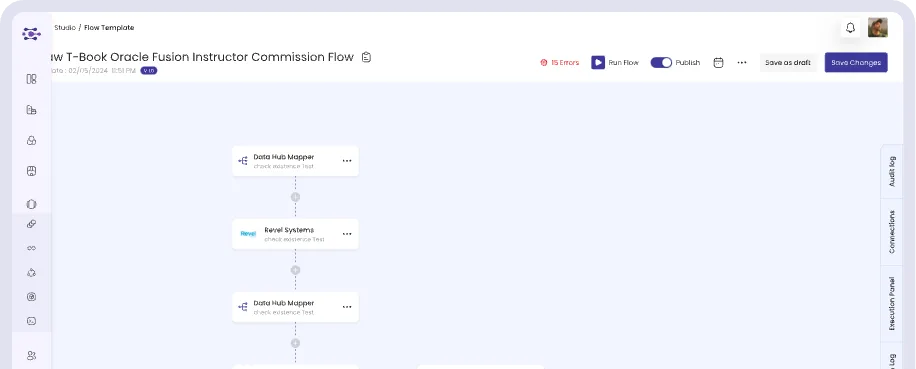
Enterprise integrations are no longer side projects. They connect the ERP, CRM, e-commerce, payment, and government platforms that a business depends on every day. When an integration breaks, orders stop, invoices fail, and reports go wrong. Applying DevOps practices to integration work brings the discipline that modern software teams rely on: faster changes with fewer surprises.
1. Treat Integration Configuration Like Code
Every workflow, mapping, and connection setting should be traceable. Keep a clear history of changes, note who made them and why, and make it easy to compare versions. When something goes wrong, you can see exactly what changed and roll back with confidence.
2. Separate Your Environments
Never build and test directly in production. Use separate environments for development, testing, and production, and connect each one to the matching environment of the external system, such as a sandbox ERP or a test payment account. Promote a workflow only after it passes testing.
3. Automate Testing
Manual checks do not scale to dozens of workflows. Build automated tests that:
Run sample records through each workflow
Confirm that data arrives in the target system in the expected format
Cover edge cases such as missing fields, duplicates, and large volumes
Run again whenever a workflow or a connected system changes
4. Deliver Changes Continuously
Small, frequent releases are safer than large, infrequent ones. A continuous delivery pipeline moves tested changes to production in controlled steps, so each release is easy to review and easy to reverse.
5. Monitor, Alert, and Learn
Monitoring should tell you about a problem before your users do. Track failed runs, response times, and data volumes, and send alerts to the team that owns each workflow. After every incident, record the cause and the fix so the same issue does not return.
6. Manage Secrets and Access Carefully
API keys, tokens, and passwords should never sit in plain text or shared documents. Store credentials securely, rotate them regularly, and limit access with role-based permissions.
How Reachware Supports DevOps for Integration
Reachware brings these practices into one platform. Teams can test workflows before activating them, review detailed run logs, control access by role, keep audit trails of changes, and connect custom systems through full API and webhook support. The result is an integration layer that changes quickly without putting daily operations at risk.