E-Commerce Integration & Middleware: Complete Business Guide
Ecommerce middleware and integration connect online stores, marketplaces, ERP, OMS, warehouses, and payment services so orders, inventory, fulfillment, and returns stay consistent.
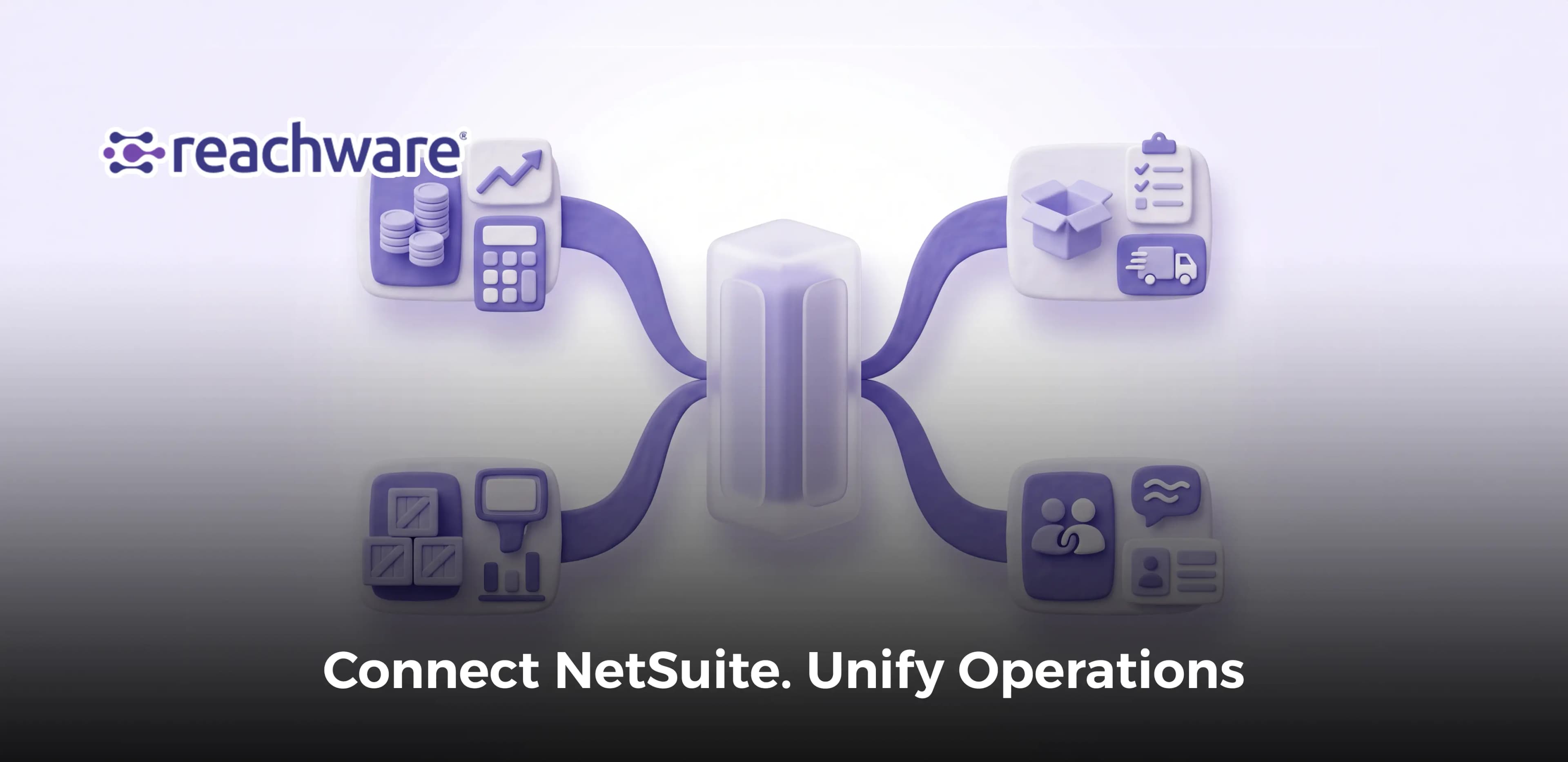
Ecommerce middleware and integration connect online stores, marketplaces, ERP, OMS, warehouses, and payment services so orders, inventory, fulfillment, and returns stay consistent. For a Saudi retailer operating several sales channels, middleware can validate transactions, route updates, and surface failures without replacing core business systems. This guide explains architecture choices, a practical deployment plan, security controls, measurable KPIs, and when Reachware Connect deserves evaluation through a tailored demonstration before production rollout.
Executive summary: define the problem and answer the query
Ecommerce middleware and integration allow businesses to exchange, validate, and synchronize information between sales channels and operational systems through a coordinated integration layer.
The main problems businesses need to solve include:
- Disconnected sales channels: Online stores, marketplaces, and physical branches operate through separate applications.
- Duplicate data entry: Employees repeatedly transfer orders, customer information, and product details into ERP and OMS systems.
- Inventory mismatches: Stock availability differs between marketplaces, stores, and warehouse records.
- Delayed order processing: Sales transactions remain pending while teams manually transfer or approve information.
- Inconsistent fulfillment updates: Shipment confirmations and delivery statuses do not reach every relevant application.
- Uncoordinated returns: Product returns, refunds, and inventory adjustments are recorded at different times.
- Accounting discrepancies: Payment transactions, marketplace fees, invoices, and settlements are not reconciled consistently.
- Limited operational visibility: Managers cannot easily identify failed integrations or outstanding transactions.
- Increasing maintenance costs: Separate custom connections become harder to manage as additional platforms are introduced.
How can businesses solve these integration problems?
- Define data ownership: Identify the system responsible for each critical business record.
- Map operational workflows: Document how orders, inventory, payments, fulfillment, and returns move between applications.
- Select an integration architecture: Compare direct APIs, middleware, and iPaaS according to business complexity.
- Automate validated transactions: Apply business rules before creating or changing records.
- Monitor synchronization: Track delayed, rejected, and incomplete operations.
- Test before expansion: Verify transaction accuracy, security, and recovery procedures before connecting additional channels.
For a broader introduction, explore Topic guide: ecommerce middleware and integration.
What e-commerce middleware does in a modern stack
1. Connects storefronts, marketplaces, and ERP systems
E-commerce middleware connects customer-facing sales channels with back-office applications responsible for finance, inventory, purchasing, and other business operations. Instead of creating a separate custom integration between every application, companies can use a shared integration layer to transfer and transform information according to documented rules.
For example, a Saudi retailer selling through its online store and multiple marketplaces may use middleware to collect eligible orders and send validated sales information to ERP. Product records, prices, and order statuses can then move between systems according to defined ownership rules, reducing repeated administrative work.
2. Coordinates order management through OMS
An Order Management System (OMS) manages the operational lifecycle of orders across sales channels. It may coordinate order acceptance, allocation, fulfillment routing, cancellations, and returns. Middleware enables the OMS to exchange these records with storefronts, marketplaces, ERP, and warehouse systems.
For instance, a customer places an order on an online marketplace. The integration layer receives the transaction, validates the customer and product information, and forwards the required details to OMS. After inventory allocation and fulfillment decisions are completed, the integration can synchronize the resulting status with the original marketplace and ERP.
3. Synchronizes inventory across channels and locations
Inventory synchronization allows sales channels to receive updated product availability based on the records maintained by the designated inventory authority. Middleware translates product identifiers, stock locations, availability rules, and relevant quantity changes between connected systems.
A retailer operating warehouses in Riyadh and Jeddah may need separate stock availability for each location. The integration should distinguish physical stock, reserved quantities, and available-to-sell inventory. Publishing the same unadjusted stock quantity to every marketplace can create overselling risks when multiple customers purchase the same products.
4. Connects fulfillment, returns, and financial information
Middleware helps connect order fulfillment with shipping providers, customer service applications, accounting systems, and payment services. It can transfer approved shipping instructions, tracking references, delivery confirmations, and related commercial data while preserving links to the original orders.
Returns require additional coordination because a returned item does not automatically become available for resale. The product may need inspection, the refund may require separate authorization, and the accounting system may need an adjustment. Middleware transfers these changes between applications while the appropriate business systems retain responsibility for approving them.
Direct API versus middleware versus iPaaS
Direct APIs connect applications individually, middleware provides a shared layer for data exchange and processing, and iPaaS delivers integration capabilities through a managed platform.
These approaches are not mutually exclusive. An iPaaS can provide middleware functionality, while both middleware and iPaaS typically use APIs to communicate with connected applications.
Comparison criteria | Direct API integration | Custom or dedicated middleware | iPaaS |
Primary function | Connect applications directly | Coordinate data exchange through an intermediary layer | Manage integrations through a platform |
Typical structure | Point-to-point connection | Shared integration services | Platform-managed connectors and workflows |
Best suited for | Limited integrations | Specialized or complex business environments | Multiple applications and recurring workflows |
Development approach | Custom programming | Custom development or middleware software | Configuration, connectors, and custom extensions |
Initial setup | Depends on API complexity | Requires integration-layer design | Depends on connector coverage and configuration |
ERP connectivity | Built individually | Implemented through adapters and APIs | Supported connectors or custom API connections |
Marketplace connectivity | Separate connections | Shared connection and transformation logic | Platform connectors where available |
OMS coordination | Custom API operations | Centralized orchestration logic | Configured workflows and orchestration |
Data mapping | Developer-defined | Shared transformation rules | Mapping tools where supported |
Inventory synchronization | Custom implementation | Coordinated inventory updates | Configured inventory workflows |
Order/return data sync | Individual workflows | Centralized routing and validation | Prebuilt or configured workflows |
Error handling | Must be developed or integrated | Managed through middleware components | Platform-dependent error handling |
Retry management | Custom implementation | Central retry and recovery logic | Available according to platform capabilities |
Monitoring | Custom logs and monitoring | Centralized monitoring can be implemented | Typically available; verify transaction-level detail |
Security controls | Managed per integration | Shared policies and controls | Platform and organization controls |
Scalability | Requires ongoing development | Depends on middleware architecture | Depends on service capacity and plan limits |
Maintenance | Each connection requires attention | Shared components require administration | Connector, workflow, and subscription management |
Vendor dependency | Primarily API providers | Middleware technology and implementation | iPaaS provider and supported connectors |
Costs | Development and maintenance | Software, infrastructure, and support | Subscription, implementation, and usage |
Main limitation | Complexity increases with connections | Requires governance and technical ownership | Compatibility, usage limits, and vendor dependency |
Selection priority | Simple, specialized connections | Complex workflows needing tailored control | Multi-system integration requiring managed operations |
Which approach should businesses choose?
- Choose direct APIs when the number of connections is limited and internal developers can maintain the integration.
- Choose dedicated middleware when specialized transformations, custom orchestration, or infrastructure requirements justify an intermediary system.
- Evaluate iPaaS when multiple business applications require reusable connections, monitoring, and coordinated workflows.
- Consider a hybrid architecture when core ERP functions remain native while external applications communicate through middleware or managed integration services.
Reference architecture for ERP-store-marketplace sync
1. Sales channels and transaction capture
- Connect supported online stores, marketplaces, mobile applications, and relevant POS systems.
- Collect order events through authorized APIs, Webhooks, or scheduled data retrieval.
- Preserve original channel order IDs, timestamps, and transaction references.
- Verify incoming event authenticity where the source platform supports signature verification.
- Check whether the transaction has already been received or processed.
- Identify incomplete information before creating downstream records.
2. Middleware integration and orchestration layer
- Transform external product, customer, and order information into agreed internal data structures.
- Match marketplace and storefront identifiers with ERP and OMS records.
- Apply validation rules for quantities, prices, discounts, currencies, and transaction states.
- Route accepted orders to OMS or ERP according to business responsibilities.
- Use queues or other appropriate buffering mechanisms for asynchronous processing.
- Maintain retry controls, error records, and monitoring information.
- Prevent repeated processing from creating duplicate commercial or financial actions.
3. ERP and OMS processing
- Register validated sales transactions in the appropriate application.
- Allow OMS to coordinate order allocation, fulfillment routing, and operational statuses.
- Use ERP for the financial and operational responsibilities assigned to it.
- Check inventory availability before confirming fulfillment allocations.
- Preserve relationships between original sales orders and their downstream records.
- Return approved processing statuses to the integration layer.
4. Inventory and warehouse synchronization
- Identify the authoritative inventory system for each product and location.
- Distinguish physical stock, committed stock, reservations, and available-to-sell quantities.
- Apply stock allocation rules across warehouses and channels.
- Reflect confirmed warehouse movements and product reservations.
- Send approved availability updates to relevant marketplaces and storefronts.
- Reconcile stock records periodically to identify missing or delayed updates.
5. Fulfillment and return data synchronization
- Transfer approved shipping instructions to warehouse or logistics systems.
- Synchronize shipment references and confirmed delivery statuses.
- Match return requests with the original order and relevant line items.
- Record inspection, restocking, refund, and exchange outcomes separately.
- Update customer-facing applications after authorized status changes.
- Reconcile return-related inventory movements and financial adjustments.
Reference data flow
Storefronts / Marketplaces → API or Webhook → Middleware Validation → OMS / ERP → Inventory / Warehouse → Logistics → Status Synchronization → Customer Channels
Return flow:
Return Request → Order Matching → Return Authorization → Warehouse Inspection → Refund / Exchange Processing → ERP and Inventory Updates → Customer Status
The architecture should preserve a traceable transaction reference across each stage, even when processing occurs asynchronously.
Implementation blueprint and data flow (step by step)
Step 1: Assess integration requirements and business objectives
- Business scope: Identify which stores, marketplaces, ERP, OMS, warehouse, and finance systems must communicate.
- Current problems: Document manual work, duplicate orders, delayed inventory updates, and reconciliation issues.
- Transaction volume: Measure normal and peak order volumes, including seasonal promotions.
- Success criteria: Establish measurable objectives for accuracy, synchronization speed, and operational reliability.
Step 2: Identify systems and data ownership
- Application inventory: List all relevant software applications and supported integration methods.
- System of record: Decide which application owns products, prices, stock quantities, order decisions, and financial records.
- Unique identifiers: Define reliable relationships between marketplace IDs, storefront IDs, ERP references, and OMS records.
- Ownership matrix: Assign the business team responsible for each critical dataset.
Step 3: Design object mapping and validation rules
- Product mapping: Match product identifiers, variants, SKUs, and units of measurement.
- Customer mapping: Identify which customer information is required and how existing records will be matched.
- Order mapping: Connect order references, items, quantities, discounts, taxes, and delivery details.
- Inventory mapping: Distinguish available, committed, and physical quantities by relevant location.
- Return mapping: Link return requests, original order lines, inspection outcomes, and adjustment references.
- Validation conditions: Reject or isolate incomplete information before updating downstream systems.
Step 4: Configure integration methods and workflow triggers
- API connectivity: Connect supported applications using appropriate authentication methods.
- Webhook configuration: Subscribe to relevant events and validate incoming notifications.
- Scheduled synchronization: Use controlled polling or reconciliation where event delivery is unavailable or insufficient.
- Conditional routing: Decide when transactions should proceed, pause, or require manual approval.
- Execution order: Coordinate dependent processes so inventory, fulfillment, and accounting actions occur at the correct stages.
Step 5: Configure inventory and order synchronization
- Order ingestion: Receive and validate eligible transactions from connected sales channels.
- Duplicate prevention: Match source order IDs before creating records in OMS or ERP.
- Stock allocation: Apply approved inventory reservation and fulfillment rules.
- Availability publishing: Send eligible available-to-sell quantities to the appropriate channels.
- Status updates: Return accepted, allocated, shipped, cancelled, or completed statuses according to actual business events.
Step 6: Integrate returns and financial records
- Return requests: Import return information with original order and product references.
- Return disposition: Distinguish items approved for resale from damaged, quarantined, or pending-inspection stock.
- Refund synchronization: Link authorized refunds to relevant orders and payment transactions.
- Accounting information: Transfer approved sales, taxes, fees, and adjustment information to the responsible financial system.
- Reconciliation: Compare original transactions with destination records and financial outcomes.
Step 7: Establish monitoring and failure recovery
- Transaction logs: Record event identifiers, processing stages, timestamps, and errors.
- Safe retries: Retry temporary failures only when duplicate side effects can be prevented.
- Exception handling: Route invalid transactions to the appropriate operational owner.
- Queue monitoring: Track backlogs, failed messages, and processing delays.
- Recovery procedures: Resume interrupted workflows without repeating completed financial or inventory operations.
Step 8: Test and launch a controlled pilot
- Functional validation: Test orders, cancellations, inventory updates, shipments, and returns.
- Failure simulation: Test API interruptions, invalid records, duplicate events, and delayed messages.
- Load testing: Verify processing capacity under realistic peak traffic.
- Security testing: Confirm authorization, encryption, and access restrictions.
- Pilot deployment: Launch with a limited number of channels or locations.
- Operational approval: Expand only after the agreed acceptance criteria are met.
Step 9: Monitor performance and expand
- Daily reconciliation: Compare source transactions with successfully synchronized records.
- Performance measurement: Review accuracy, synchronization latency, and outstanding exceptions.
- Workflow improvement: Resolve recurring mapping errors and unnecessary manual interventions.
- Change management: Revalidate integrations after application upgrades or API changes.
- Controlled scaling: Add marketplaces, warehouses, and sales channels after confirming operational readiness.
Evaluation framework: requirements, decision matrix and alternatives
1. Business and technical requirements
Business requirements
- Channel coverage: Identify all storefronts, marketplaces, and physical sales channels that must be connected.
- Order lifecycle: Confirm support requirements for new orders, edits, cancellations, fulfillment, and returns.
- Inventory ownership: Determine which system controls available-to-sell inventory across locations.
- Operational visibility: Establish what information managers need to monitor transactions and exceptions.
- Growth expectations: Assess how additional channels, warehouses, and transaction volumes may affect the solution.
Technical requirements
- Connector compatibility: Verify supported applications, API versions, and available actions.
- Data mapping: Evaluate the handling of customer, product, order, inventory, and financial fields.
- Processing methods: Confirm support for Webhooks, scheduled synchronization, and relevant API operations.
- Recovery capability: Assess duplicate prevention, retries, exception handling, and reconciliation.
- Security requirements: Review access controls, encryption, credential management, and data-processing arrangements.
2. Decision matrix and selection criteria
Weighted evaluation framework
Businesses can score shortlisted options from 1 to 5 against agreed requirements and assign weights reflecting operational priorities.
Evaluation criterion | Suggested weight | Key evaluation question |
System compatibility | 20% | Does it support the required stores, marketplaces, ERP, and OMS? |
Order and inventory workflows | 20% | Can it process the required order, stock, and return scenarios? |
Error handling and monitoring | 15% | Can teams identify and recover failed transactions safely? |
Security and governance | 15% | Does the solution meet organizational access and data controls? |
Scalability and performance | 10% | Can it handle expected peak volumes? |
Implementation complexity | 10% | What configuration, development, and testing are needed? |
Total cost of ownership | 10% | What are the implementation and ongoing operating costs? |
Total | 100% | Compare evidence from demonstrations and tests |
Weighted Evaluation Score = Σ (Criterion Score × Criterion Weight)
When each criterion is scored from 1 to 5 and weights total 100%, the resulting score is on a 1-to-5 scale.
The weights are illustrative management priorities, not an industry-standard scoring model.
Decision criteria
- Integration complexity: Prefer simple connections when business requirements do not justify additional architectural layers.
- Operational reliability: Give higher priority to recovery and monitoring when failures can disrupt orders or inventory.
- Data ownership: Reject architectures that create uncontrolled updates between competing systems of record.
- Provider compatibility: Confirm critical workflows using actual API documentation and test transactions.
- Long-term costs: Compare software, development, maintenance, support, and transaction-related charges.
3. Alternatives for e-commerce integration
Direct APIs and custom middleware
- Custom development: Suitable when the business needs specialized logic or has a limited number of well-defined integrations.
- Infrastructure ownership: Requires responsibility for hosting, security, monitoring, updates, and recovery.
- Technical flexibility: Developers can implement application-specific mapping and business rules.
- Maintenance workload: Each API change or additional platform can require further engineering.
Managed iPaaS platforms
- Celigo: Publishes Shopify and NetSuite integration workflows covering orders, customers, inventory, fulfillment, cancellations, and refunds.
- MuleSoft: Provides API-led integration approaches for connecting ERP, commerce, and order management applications.
- Other providers: Boomi and Workato offer enterprise integration and automation capabilities that may suit different architectures.
- Comparison requirements: Evaluate connector coverage, supported workflows, hosting, data protection, operating limits, and implementation costs.
Native platform connectors
- Built-in functionality: Some commerce or ERP applications provide native integrations for specific business processes.
- Implementation simplicity: Supported native connectors may reduce development effort for straightforward requirements.
- Functional limitations: Complex OMS routing, returns, or marketplace data mapping may require additional software.
- Selection condition: Confirm that the native solution meets business requirements before adding an external integration layer.
Failure modes, security, governance and validation
1. Common middleware and synchronization failures
API and connection failures
- Authentication errors: Invalid or expired API credentials prevent systems from communicating.
- Service interruptions: A marketplace, storefront, or ERP endpoint becomes temporarily unavailable.
- Rate limiting: Too many requests cause the receiving API to delay or reject further calls.
- Timeouts: A request exceeds the configured response period before its outcome is confirmed.
- Connector changes: API updates or configuration changes invalidate existing mappings.
Data and workflow failures
- Duplicate orders: Repeated events create multiple destination records for one customer transaction.
- Inventory inconsistencies: Delayed updates cause different systems to display conflicting stock availability.
- Out-of-order events: A later status update is processed before an earlier event.
- Missing product identifiers: An order cannot be mapped to the correct destination product.
- Partial execution: A transaction reaches OMS but fails before updating ERP or fulfillment systems.
- Return mismatches: A refund or inventory adjustment is processed without the correct original order relationship.
2. Security and regulatory controls
Integration security
- Access permissions: Restrict each integration account to the applications and operations it needs.
- Credential protection: Store secrets securely and establish renewal and revocation procedures.
- Webhook verification: Validate incoming signatures when supported by the sending platform.
- Encrypted communication: Protect data transmitted between middleware and connected applications.
- Audit records: Preserve relevant transaction and administrative events.
- Sensitive data minimization: Avoid transferring unnecessary personal information or payment credentials.
Saudi Arabia compliance considerations
- Personal Data Protection Law (PDPL): Review applicable requirements for processing, protecting, and retaining customer information.
- Cross-border data transfers: Assess relevant Saudi requirements if customer data is stored or processed outside the Kingdom.
- ZATCA electronic invoicing: Ensure invoicing workflows meet applicable Saudi tax and electronic invoicing requirements.
- Payment security: Keep payment processing and sensitive card information within appropriate authorized systems and controls.
- Regulatory ownership: Assign responsibility for assessing applicable obligations and approving related processes.
Middleware can support information exchange, but it does not automatically make the connected business compliant with tax, privacy, or payment requirements.
3. Governance, monitoring, and validation
Governance controls
- Business ownership: Assign an accountable manager for integration objectives and processing rules.
- Technical ownership: Identify teams responsible for API connections, infrastructure, and incident resolution.
- Data accountability: Determine which application and department control each important dataset.
- Change approval: Require testing and authorization before modifying production workflows.
- Incident escalation: Establish procedures for urgent order, inventory, or payment synchronization failures.
Validation and recovery
- Functional testing: Verify correct end-to-end processing across systems.
- Idempotent processing: Ensure repeated processing of the same business operation does not create duplicate effects.
- Controlled retries: Use bounded retry policies with appropriate delays for temporary failures.
- Exception queues: Preserve unresolved messages for investigation where supported.
- Periodic reconciliation: Compare source and destination records to identify missed updates.
- Recovery verification: Confirm that corrective actions restore consistency without creating new discrepancies.
Saudi Arabia use cases and measurable KPIs
E-commerce middleware should be evaluated through measurable improvements in transaction reliability, inventory accuracy, fulfillment coordination, and administrative effort.
The following Saudi use cases illustrate how businesses can measure integration performance:
- Multi-marketplace order synchronization: A Saudi retailer receives orders from its online store and several marketplaces. The integration consolidates eligible orders into the correct operational system while preserving their original references. Order Sync Success Rate (%) = (Successfully Synchronized Orders / Total Eligible Orders) × 100
- Inventory accuracy across warehouses: A retailer operating in Riyadh and Jeddah compares approved available-to-sell quantities with the quantities published across channels. Inventory Match Rate (%) = (Matching SKU-Location Records / Total SKU-Location Records Checked) × 100
- Order processing speed: A distributor measures the time required for accepted customer orders to reach the appropriate ERP or OMS processing stage. Average Order Sync Time = Total Order Synchronization Time / Number of Successfully Synchronized Orders
- Fulfillment status accuracy: A business checks whether confirmed shipping and delivery events reach the relevant customer-facing channels. Fulfillment Status Accuracy (%) = (Correctly Matched Fulfillment Status Records / Total Fulfillment Records Checked) × 100
- Return data synchronization: An e-commerce company tracks whether eligible return outcomes are reflected correctly across OMS, inventory, and ERP systems. Return Sync Success Rate (%) = (Successfully Synchronized Return Records / Total Eligible Return Records) × 100
- Integration exception monitoring: Operations managers measure the proportion of eligible transactions still waiting for manual investigation. Unresolved Exception Rate (%) = (Transactions With Unresolved Exceptions / Total Eligible Transactions) × 100
- Synchronization reliability: Technical teams measure the percentage of eligible synchronization operations completed successfully within the agreed processing window. On-Time Sync Rate (%) = (Successful Syncs Within Target Time / Total Eligible Syncs) × 100
- Administrative time savings: A company evaluates how many working hours are saved after automation, accounting for any additional manual investigation. Net Hours Saved = (Manual Processing Minutes Avoided – Additional Manual Handling Minutes) / 60
- Integration return on investment: Management compares verified operational financial benefits with implementation and ongoing costs over the same period. Integration ROI (%) = [(Verified Financial Benefits – Total Integration Costs) / Total Integration Costs] × 100
These are proposed operational KPI definitions, not official regulatory performance thresholds.
Practical calculation example:
A Saudi e-commerce business processes 3,000 orders monthly. After integration, the team verifies a net saving of three minutes of manual handling per order.
Net Hours Saved = (3,000 × 3) / 60 = 150 hours per month
The result represents a hypothetical reduction of 150 hours of administrative work each month, not a verified Reachware customer outcome.
Actual financial savings depend on employee costs, transaction volumes, workflow design, exception-handling effort, and integration expenses.
Where Reachware fits and when to request a demo
When every sales channel speaks a different language, growth creates more work instead of better coordination.
One platform receives the order. Another manages inventory. A third records the payment. Meanwhile, the operations team spends valuable time ensuring that each system reflects the same transaction.
Reachware Connect is positioned as a business integration and automation platform designed to connect applications, coordinate workflows, and provide centralized operational visibility.
For companies considering ecommerce middleware and integration, the value to evaluate is not simply whether two systems can exchange data. It is whether the proposed integration makes everyday business processes more manageable, traceable, and reliable.
How Reachware Connect fits into e-commerce integration
Reachware's published product information highlights application connectivity, workflow automation, synchronized information, and centralized management.
These areas make it relevant to businesses evaluating a shared integration layer.
Potential applications worth demonstrating include:
- Connecting business systems: Evaluate integrations between supported storefronts, marketplaces, ERP, OMS, and operational applications.
- Automating data transfers: Assess whether repetitive order, product, or transaction updates can follow predefined rules.
- Coordinating workflows: Test how dependent actions move between connected applications.
- Monitoring integration activity: Examine the available transaction statuses, alerts, and operational information.
- Supporting expansion: Assess the implementation effort involved in connecting additional applications or sales channels.
The availability of specific marketplace connectors, OMS functions, refund workflows, inventory allocation controls, and recovery features must be verified for the proposed configuration.
Reachware Connect should be evaluated as an integration and automation solution, not automatically as a replacement for an ERP, OMS, warehouse management system, or payment provider.
When should a business request a Reachware demo?
A tailored demonstration is most useful when the organization has a specific integration challenge involving several applications.
Request a demo when:
- Storefront and marketplace orders require repeated manual transfers.
- ERP, OMS, and inventory records frequently disagree.
- Return and cancellation updates do not move consistently between systems.
- New marketplaces or warehouses increase integration maintenance.
- Existing connections fail without clear monitoring or escalation.
- Business leaders need better visibility into cross-system workflows.
- The company needs to compare integration costs against measurable operational improvements.
What should the demonstration prove?
A useful product demonstration should reproduce a real workflow using the company's requirements.
Ask the Reachware team to demonstrate:
- System connectivity: Connections to the required applications and supported versions.
- Order processing: Transfer of a sample marketplace order into the destination system.
- Data mapping: Correct handling of product identifiers, quantities, customer information, and order references.
- Inventory updates: Synchronization of approved stock availability between relevant applications.
- Error handling: Identification and investigation of a failed transaction.
- Monitoring: Visibility into successful, pending, and rejected operations.
- Scalability: Expected behavior under the company's anticipated transaction volume.
- Commercial requirements: Implementation responsibilities, usage limits, support terms, and total costs.
Make the next sales channel easier to operate—not another disconnected system to manage.
Explore the e-commerce integration capabilities of Reachware Connect and request a tailored demonstration based on your actual business systems.
Explore Reachware Connect or request a tailored demo →
Related reading
For additional detail about specific integration workflows, explore these Reachware resources:
- Top Marketplace Integrators for E-Commerce Success
- The Importance of E-Invoice Middleware in E-Commerce
- E-Commerce Automation: From Order to Delivery Without Chaos
- How to Effectively Integrate Your Financial Systems with E-Commerce Platforms
Frequently asked questions (concise answers)
What is e-commerce middleware?
E-commerce middleware is software that connects applications such as online stores, marketplaces, ERP, OMS, and inventory systems. It transfers and transforms information, coordinates workflows, and helps maintain consistency between connected platforms.
Why is middleware important for e-commerce integration?
Middleware helps businesses manage data exchange across multiple applications without relying entirely on separate custom connections. It can reduce repeated manual work, support consistent information, and provide a shared place for monitoring integration activity.
How should e-commerce orders sync with ERP?
Orders should move from the sales channel through validated integration workflows into the appropriate ERP or OMS process. Each transaction should retain its original reference, pass required business checks, and return processing statuses without creating duplicate records.
What role does middleware play in omnichannel commerce?
Middleware coordinates information between online stores, marketplaces, POS systems, ERP, and fulfillment applications. It helps maintain consistent order, inventory, and customer-facing status information across channels while preserving the responsibilities of individual business systems.
How can inventory mismatches be prevented?
Businesses should define one authoritative source for each stock record, distinguish available inventory from physical and reserved quantities, validate SKU and location mapping, and reconcile data regularly. Duplicate prevention and controlled updates also reduce inconsistencies.
What is the difference between ERP and OMS in e-commerce?
ERP manages financial and broader business operations, while OMS focuses on coordinating the order lifecycle, including order routing, fulfillment, and related statuses. Responsibilities can overlap depending on the software, so businesses must define ownership in their architecture.
What data should synchronize between marketplaces and ERP?
Common data includes product identifiers, eligible order information, prices, discounts, customer details, inventory availability, shipment references, returns, and relevant financial transactions. The required scope depends on the commercial workflow and system ownership.
Should inventory updates always be real-time?
Not necessarily. The required synchronization speed depends on order volume, stock sensitivity, marketplace capabilities, and operational risks. Event-driven updates can reduce delays, while scheduled reconciliation remains important because notifications can be missed or processed incorrectly.
How should middleware handle returns and refunds?
Middleware should match returns with original orders, synchronize authorized status changes, and communicate relevant inventory and financial adjustments. Refund approval, product inspection, and resale eligibility should remain governed by the responsible business systems.
Is direct API integration better than middleware?
Direct APIs can be suitable for limited connections with straightforward requirements. Middleware may be preferable when several systems need common mapping, monitoring, and workflow controls. The decision depends on complexity, maintenance responsibilities, and costs.
How can businesses troubleshoot e-commerce integration failures?
Start with the failed transaction ID, source event, API response, mapping rules, and destination status. Check authentication, rate limits, missing fields, and duplicate processing before retrying. Periodic reconciliation helps locate events that were never successfully processed.
Does middleware automatically ensure ZATCA compliance?
No. Middleware supports information exchange, but businesses must separately validate the invoicing, tax, and regulatory requirements applicable to their operations. Compliance depends on the configured workflows and responsible systems.
When should a Saudi business evaluate Reachware Connect?
Reachware Connect may be relevant when businesses need to coordinate workflows across several commerce and operational applications. A tailored demonstration should confirm the required connectors, transaction logic, monitoring capabilities, security controls, and implementation costs.