iSell360 + Reachware: Simplifying Omnichannel Retail in Saudi Arabia
Connect retail sales, inventory, customer data and loyalty workflows. Explore iSell360 and Reachware integration planning for Saudi omnichannel retailers.
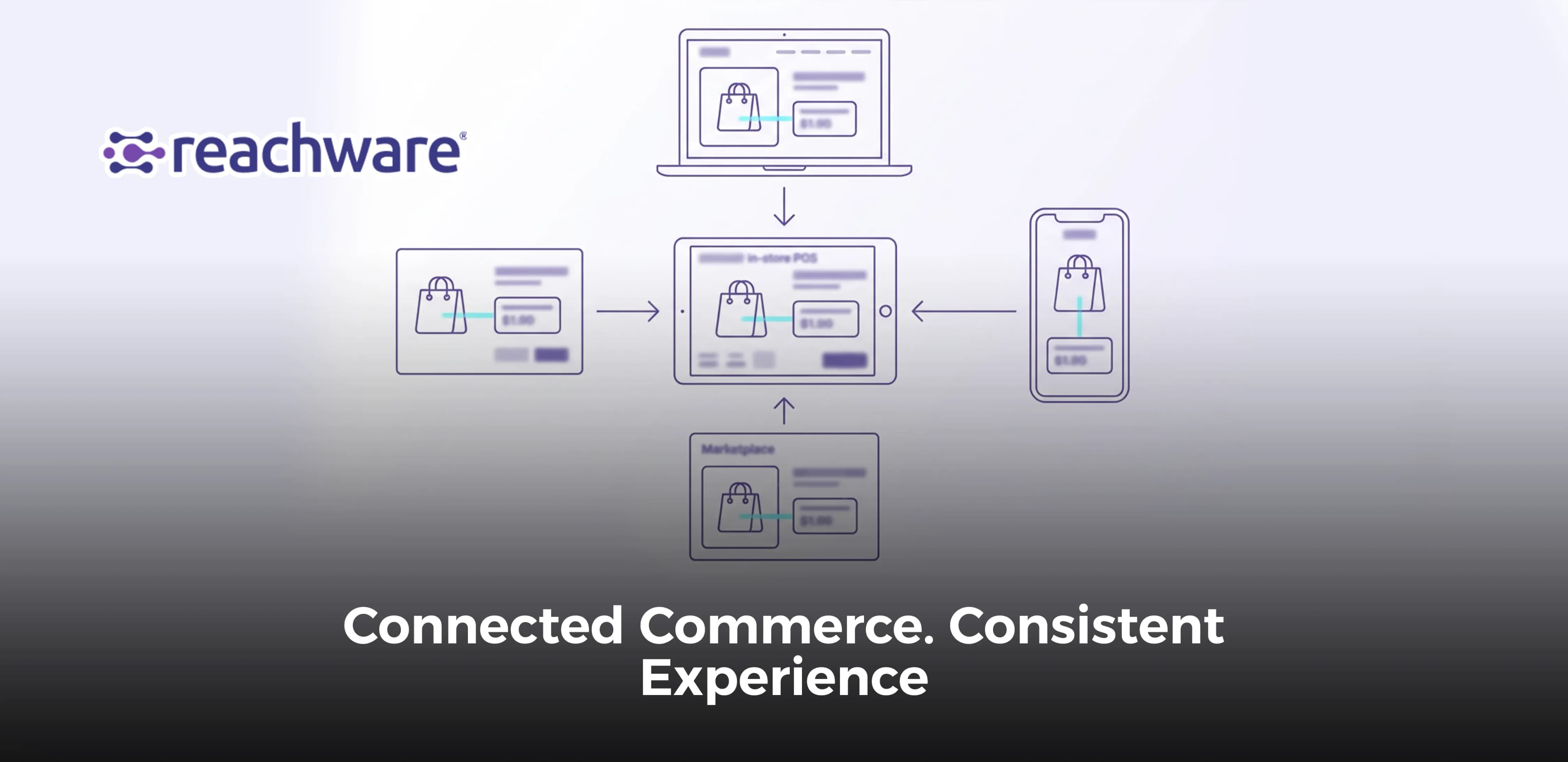
iSell360 and Reachware can support Saudi omnichannel retail when sales, inventory, customer identities, and loyalty events move consistently between stores and digital channels. The solution starts with confirming iSell360’s licensed capabilities, assigning data ownership, and mapping POS and CRM events through compatible integrations. Then test reservations, returns, customer consent, and failed synchronization before rollout. Reachware Connect should be evaluated against demonstrated connectors and workflows, not assumed functionality across retail systems.
Why disconnected retail systems create inconsistent customer experiences
Disconnected retail systems cause inventory discrepancies, incomplete customer histories, missed pickup commitments, and conflicting loyalty balances. These problems often appear when the same customer or product is represented differently across physical stores and digital channels.
The following failures reveal where integration is needed.
The problem: retail channels operate on different records
Inventory mismatch: An online store advertises an item that a branch has already sold.
Disconnected customer profiles: A recognized in-store customer appears as a separate customer online.
Missing order status: A digital order is accepted but never reaches the system responsible for fulfillment.
Conflicting rewards: A return is processed at the POS while loyalty points remain unchanged.
Manual reconciliation: Staff compare spreadsheets and disconnected reports to resolve discrepancies.
Example: A hypothetical fashion retailer in Riyadh accepts an online order for pickup in Jeddah. The website displays available stock, but the selected branch cannot locate the item. The problem may involve inventory ownership, delayed synchronization, or the absence of a confirmed stock reservation.
Questions retail operators must resolve
Which system controls available inventory?
The designated inventory system should provide an authoritative balance by product and location. The integration must distinguish available, reserved, sold, returned, and transferred quantities.
How can stores recognize the same customer across channels?
Approved customer identifiers and matching rules can connect eligible purchases across POS, CRM, and digital channels. Customer records should not be merged solely because names look similar.
What confirms that a pickup order is ready?
The responsible fulfillment system must confirm preparation or reservation before a pickup-ready status is shared. Payment success alone does not prove that stock is available for collection.
Can iSell360 and Reachware connect the workflow?
Reachware lists an iSell360 integration in its marketplace and positions Connect as a platform for coordinating business systems. Retailers should verify the exact iSell360 deployment, available interfaces, POS compatibility, and supported data exchanges before implementation.
Unifying customer data across retail channels
Unified customer data requires consistent identifiers, clearly assigned ownership, and controlled sharing between systems. The following integration decisions prevent conflicting profiles and unreliable customer histories.
1. A shared customer identifier connects recognized purchases
Identity mapping: Link approved CRM customer IDs to recognized POS and online customer references.
Duplicate control: Record existing mappings before creating another customer profile.
Data quality: Investigate ambiguous matches instead of automatically combining unrelated people.
Example: A customer shops online and later provides the same verified loyalty identifier in a Riyadh branch. The integration associates the eligible purchases with one approved customer record.
2. Data ownership prevents conflicting customer updates
CRM: Owns designated customer relationship attributes and communication preferences.
POS: Produces confirmed in-store sales and return transactions.
E-commerce: Provides digital orders, checkout events, and authorized profile updates.
Example: An updated mobile number submitted through an online account follows the approved CRM update process instead of being overwritten by an older POS record.
3. Customer consent controls loyalty and marketing use
Record the purpose and lawful basis for sharing identifiable customer information.
Separate operational purchase history from permission to send promotional messages.
Restrict profile access to authorized users and connected applications.
Example: A recognized purchase may update an eligible customer history without automatically authorizing a new marketing campaign.
For a broader discussion of customer relationships and retention, see How CRM Integration Enhances Customer Retention in F&B, Hospitality, and Retail.
4. Reachware Connect coordinates approved customer exchanges
Reachware Connect is positioned to connect supported business applications and coordinate data exchange. In an omnichannel project, its role is to be evaluated through actual customer mapping, source-system permissions, error handling, and synchronization tests.
The platform should not be assumed to provide a master customer database, identity-resolution engine, or loyalty program unless those capabilities are demonstrated in the selected deployment.
Inventory, loyalty and cart-to-store workflows
Inventory, loyalty, and cart-to-store workflows depend on different business events. Inventory availability needs a location-specific stock authority; loyalty requires a recognized customer and eligible purchase; store pickup requires confirmed fulfillment.
1. Inventory synchronization protects stock accuracy
How product and location records connect
Map each product SKU to the correct item in the POS, ERP, and online catalog.
Maintain location identifiers for branches and warehouses.
Define whether sales, returns, reservations, and transfers change the available balance.
Example: the last item is sold in-store
A Jeddah branch has one jacket remaining. A POS sale reduces the authoritative available quantity, and the digital channel must receive the updated availability according to the supported synchronization design.
If the update is delayed, the online store should not be assumed to have an instantly accurate stock balance.
2. Cart-to-store workflows require confirmed reservation
How a pickup order reaches the branch
Validate the customer-selected location and the requested items.
Request a stock reservation from the responsible inventory or order system if supported.
Create the fulfillment task using a unique order reference.
Update the customer-facing status only after receiving the relevant confirmation.
Example: an online order for branch pickup
A customer orders shoes online for pickup in Dammam. The order should not become pickup-ready merely because payment succeeded; the branch must confirm the reservation or fulfillment event required by its operating model.
3. Loyalty synchronization requires eligible purchase events
How points are earned and redeemed
Identify the system that owns the loyalty balance and reward rules.
Send eligible, recognized sales with stable transaction identifiers.
Verify redemption before recording a reward deduction.
Reverse or adjust rewards following approved returns or cancellations.
Example: a return after earning loyalty points
A customer earns points from an in-store purchase and later returns the item. The loyalty system needs a verified return reference to determine whether previously earned points should be reversed.
The integration must not invent reward rules; they belong to the retailer's loyalty program.
4. Returns must reconcile stock, payment, and customer history
Stock: Record whether the returned item is resalable, damaged, or awaiting inspection.
Finance: Match any authorized refund or credit with the original transaction.
Customer history: Update eligible sales and loyalty records without duplicating the return.
Example: A customer returns an online purchase at a physical branch. The POS records the return, while connected systems apply their own approved inventory, financial, and customer-data rules.
iSell360 scenarios and product evidence
Reachware's published iSell360 material discusses retail operations, inventory visibility, POS connections, and customer engagement. Its marketplace listing emphasizes sales-force automation, while the app's external publisher describes mobile field-sales capabilities.
These descriptions make product identification and module verification essential before attributing a full omnichannel retail stack to iSell360.
1. Field-sales activity and customer information
The Reachware marketplace describes iSell360 as a cloud-based sales-force automation solution with field activity management and sales analytics.
What a retailer can evaluate
Whether the selected version exposes customer, product, and sales records through supported interfaces.
Whether field-sales updates can be mapped to the retailer's existing CRM.
Whether changes are synchronized with documented ownership and access rules.
Example: A wholesale representative records an approved customer order during a store visit. The integration should demonstrate where the order is accepted and how its status reaches the ERP.
2. POS and inventory integration
Reachware's existing retail article describes POS and inventory synchronization as part of its iSell360 narrative, but the marketplace listing does not establish all the same features.
What must be demonstrated
The exact POS and inventory systems included in the proposed solution.
Available product, location, stock, and order interfaces.
How inventory updates are handled when a source becomes unavailable.
Example: During a demo, complete a sale at a branch POS and verify that the approved inventory change reaches the intended destination without generating another sale.
3. CRM, loyalty, and personalized experiences
Reachware's earlier article also discusses customer histories and loyalty programs. Retailers should distinguish a published product description from evidence that a particular module is licensed and integrated.
What must be demonstrated
Customer identity matching between iSell360, POS, and CRM.
Reward eligibility and redemption behavior if a loyalty module is present.
Return adjustments, communication permissions, and audit records.
Example: A customer earns a reward on an eligible purchase and then returns the item. The demonstration must show which system owns the reward balance and how the return is processed.
4. Evidence checklist before purchasing
Obtain the product name, vendor, edition, and module list in writing.
Request current connector documentation and supported API operations.
Use a test environment with the retailer's actual POS and CRM versions.
Record any workflow that requires another application or custom development.
The purpose is not to assume a feature is missing, but to establish exactly which components can deliver the required omnichannel outcome.
Implementation blueprint and data flow (step by step)
A practical omnichannel implementation connects the systems responsible for checkout, inventory, fulfillment, customer identity, and loyalty without giving every application authority to modify every record.
The following sequence can be used as an acceptance blueprint.
Step 1. Identify the systems and authoritative records
List iSell360, POS, ERP, CRM, inventory, loyalty, and e-commerce components actually in use.
Assign ownership of each record and state transition.
Document APIs, connector versions, and integration restrictions.
Example: The inventory system owns branch stock; the POS owns completed in-store transactions; the loyalty platform owns reward balances.
Step 2. Map products, branches, and customer identities
Create approved mappings for SKUs, location IDs, and customer references.
Validate variants, units of measure, and customer matching rules.
Route unresolved identifiers into an exception process.
Example: The same shoe has different internal product codes in the storefront and POS; a verified mapping connects them to the same inventory item.
Step 3. Define each retail event and its destination
Identify events such as SaleCompleted, OrderAccepted, StockReserved, PickupCompleted, and ItemReturned.
Specify the source, destination, unique event reference, and expected result.
Decide which operations require immediate responses and which can be processed asynchronously.
Example: PickupCompleted updates fulfillment status only after the branch confirms handover.
Step 4. Configure approved integrations
Configure available connections through Reachware Connect or other required components.
Authenticate each system using authorized credentials.
Apply data validation, field mappings, and permitted processing rules.
Example: A completed POS sale produces an approved sales record that can be consumed by connected reporting or CRM systems according to the agreed contract.
Step 5. Test the end-to-end customer journey
Place a digital order for pickup at a selected branch.
Confirm inventory availability and the supported reservation process.
Complete pickup and check the resulting sales, inventory, and customer records.
Repeat the test with a return or cancellation.
Example: A customer buys an item online, collects it from a Riyadh branch, and later returns it. Every affected system should show the correct outcome without double-counting the transaction.
Step 6. Test failure recovery before rollout
Interrupt a stock update and verify the retry and reconciliation procedure.
Replay the same event to check that it does not create duplicate business effects.
Confirm that an unresolved order remains visible for investigation.
Approve rollout only after documented acceptance tests pass.
Example: The POS records a sale while the CRM is unavailable. The sales transaction remains valid, and the eligible CRM update is recovered without creating a second sale.
Reference omnichannel data-flow diagram
This proposed diagram illustrates system responsibilities and the integration path. It does not represent a confirmed internal iSell360 or Reachware deployment architecture.
[Online Store] [Physical POS] [iSell360*]
\ | /
\ | /
[Reachware Connect / Approved Integration]
|
[Validation + ID Mapping]
|
+-------------+-------------+
| | |
v v v
[Order/ERP] [Inventory] [CRM/Loyalty]
| | |
+-------------+-------------+
|
[Confirmed Outcomes + Reconciliation]
|
[Channel Updates]
* Scope depends on the verified iSell360 deployment.
For the broader architecture and implementation context, see Retail System Integration: POS, Inventory, CRM and E-Commerce.
Failure modes, security, governance and validation
An omnichannel integration can display correct data during a successful test yet fail under concurrent sales, returns, network outages, or customer-profile conflicts. Each failure needs an explicit control and acceptance test.
1. Overselling from delayed inventory updates
Failure and impact
An online channel may accept an order after the last unit has been sold in-store.
Controls and validation
Define the authoritative inventory source and reservation procedure.
Test simultaneous online and POS demand for the last available unit.
Verify that rejected reservations do not produce a confirmed pickup promise.
2. Duplicate sales and repeated integration events
Failure and impact
An event delivered twice may duplicate a sales record, deduct inventory twice, or award loyalty points twice.
Controls and validation
Use unique transaction references and idempotent processing.
Replay the same event and confirm one business outcome.
Review reconciliation records for duplicated entries.
3. Incorrect loyalty adjustments after returns
Failure and impact
A refunded purchase may remain eligible for rewards or generate an unintended second adjustment.
Controls and validation
Match returns to original sales and reward references.
Apply the loyalty program's approved reversal rules.
Test partial returns and repeated return notifications.
4. Customer data conflicts and unauthorized access
Failure and impact
Incorrect identity matching can mix customer histories; excessive integration permissions can expose personal information.
Controls and validation
Require verified matching rules and role-based access.
Separate operational data use from promotional communication permissions.
Test unauthorized data access and review appropriate audit logs.
5. Missing ownership of failed synchronization
Failure and impact
A transaction may be valid at the POS but absent from inventory or CRM, with no team assigned to resolve the exception.
Controls and validation
Record the original transaction and destination processing outcomes.
Assign owners and escalation rules for unmatched records.
Reconcile the repaired state before closing the incident.
Example: An in-store return succeeds, but loyalty points are not corrected. The support team should identify the original sale, the return, the loyalty outcome, and the component responsible for remediation.
Saudi Arabia use cases and measurable KPIs
Retail chains in Saudi Arabia can evaluate iSell360 and Reachware against concrete business journeys, including multi-branch shopping, store pickup, field sales, and approved customer engagement.
The following scenarios are illustrative, not documented customer deployments.
1. Fashion retail across Riyadh and Jeddah
A retailer sells clothing through two branches and an online storefront.
The inventory system tracks stock by SKU and branch.
The online order references the selected pickup location.
The fulfillment system confirms when the purchase is available.
The CRM receives eligible customer activity after transaction confirmation.
Example: A customer orders a jacket for Jeddah pickup. The checkout must not promise availability using Riyadh inventory unless an approved transfer or fulfillment arrangement supports it.
2. Field sales for a wholesale retail distributor
A distribution business uses field representatives to manage approved customer visits and orders.
Field-sales activity is recorded in the designated application.
Customer and product identifiers are mapped to the business systems.
Confirmed orders are transferred to the appropriate ERP or order system.
Failed exchanges are visible for investigation.
Example: A representative enters an order during a visit in Dammam. Its accepted status and ERP reference should be traceable without requiring manual re-entry.
3. Loyalty and returns across channels
A recognized customer buys online and returns an eligible product in-store.
The return is linked to the original purchase.
Inventory disposition follows the receiving branch's rules.
Loyalty and customer-history updates follow approved eligibility and privacy controls.
Example: The customer should not retain rewards that the loyalty program requires to be reversed after the refund.
4. Measurable omnichannel KPIs
Inventory Accuracy Rate: Accurate Audited SKU-Location Balances / Audited SKU-Location Balances × 100.
Order Synchronization Success Rate: Successfully Synchronized Eligible Orders / Eligible Orders × 100.
Pickup Promise Accuracy: Pickups Ready by Confirmed Time / Eligible Pickup Orders × 100.
Customer Match Exception Rate: Unresolved Customer Matches / Eligible Identity Matches × 100.
Loyalty Reconciliation Error Rate: Unmatched Loyalty Transactions / Eligible Loyalty Transactions × 100.
Example: If pickup promises are frequently missed, segment the results by branch, SKU, and reservation failure rather than treating every missed pickup as a general integration slowdown.
KPIs should use consistent definitions and actual baselines. No numerical performance improvement is guaranteed by connecting the systems.
Where Reachware fits and when to request a demo
1. Compare integration approaches before selecting a vendor
Approach | Best fit | Limitation to assess |
|---|---|---|
Direct APIs | A few stable retail connections | Repeated maintenance and fragmented monitoring |
Custom middleware | Specialized systems and workflows | Higher engineering and support responsibility |
Managed integration platform | Multiple POS, CRM, ERP, and commerce systems | Connector coverage, licensing, and workflow validation |
Hybrid model | Existing systems with mixed integration needs | Clear division of responsibility between components |
2. Reachware Connect connects supported retail applications
Reachware Connect is presented as an integration and workflow-automation platform for compatible business applications.
Its relevance to iSell360 depends on the actual integration available through the Reachware marketplace and the retailer's chosen POS, ERP, CRM, and inventory systems.
A demonstration should distinguish functions delivered by iSell360, functions delivered by Reachware Connect, and functions that remain the responsibility of another application.
3. What a tailored demonstration should prove
Compatibility: Confirm the exact product versions, modules, and supported connectors.
Inventory: Demonstrate an in-store sale and the resulting authorized stock update.
Pickup: Show a confirmed online order, reservation, and branch fulfillment event.
Customer data: Verify identity mapping and permitted CRM updates.
Loyalty: Test an eligible sale and reversal only if the loyalty integration is supported.
Recovery: Interrupt synchronization and demonstrate traceable, non-duplicated recovery.
Example: Run one order through POS, inventory, CRM, and the configured iSell360 workflow. Then repeat the integration event and verify that no duplicate sale or reward is created.
Connected commerce. Consistent experience.
Retailers should evaluate integration when store and digital records diverge, pickup promises fail, or staff spend time correcting data between disconnected applications.
Reachware Connect is worth exploring when the business needs coordinated data exchange across supported systems, with clear ownership and verifiable error handling.
Explore Reachware Connect or request a tailored demo using your actual POS, CRM, inventory, and iSell360 requirements. Confirm the supported components before purchasing.
Frequently asked questions about iSell360 and omnichannel retail
How can retailers connect POS, CRM and inventory?
Retailers can use compatible APIs and an integration platform to exchange approved sales, product, stock, and customer events. They must define authoritative systems and test identifiers, timing, duplicates, and failed synchronization before deployment.
How does customer data sync support omnichannel retail?
It links eligible recognized purchases and customer interactions across channels so staff can access more consistent information. Reliable matching rules, privacy controls, and clear system ownership remain necessary.
What should a retail integration roadmap include?
The roadmap should cover system inventory, product and customer mapping, order and stock events, security, acceptance tests, monitoring, and support responsibilities. It should also specify which iSell360 and Reachware capabilities are confirmed versus dependent on additional modules or connectors.