How to Use Odoo API to Integrate Third-Party Software
Odoo API integration allows businesses to connect Odoo ERP with third-party software by exchanging authorized information through supported application programming interfaces.
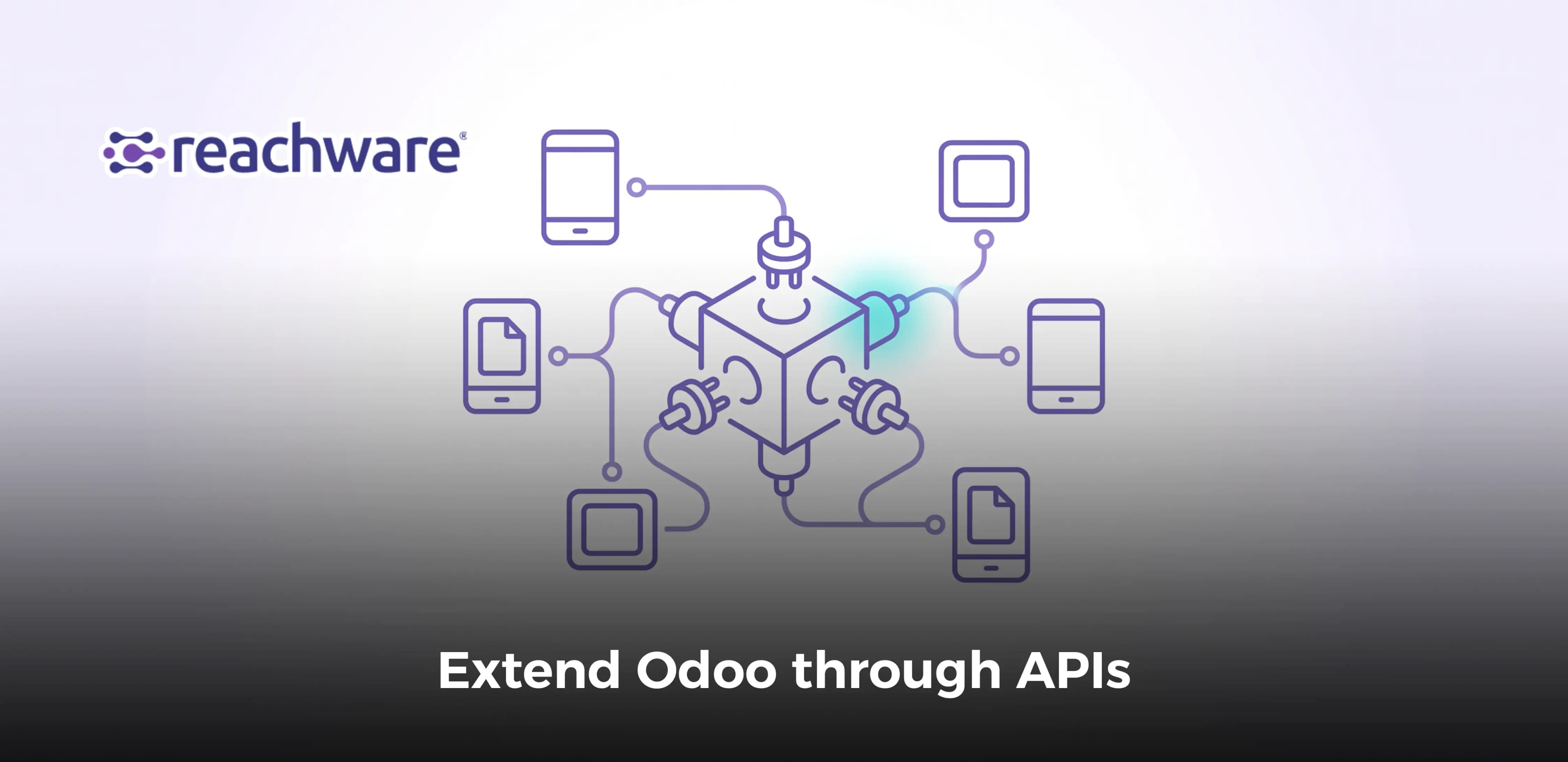
Odoo API integration allows businesses to connect Odoo ERP with third-party software by exchanging authorized information through supported application programming interfaces. Developers can retrieve customer records, synchronize eligible orders, update approved information, and coordinate workflows involving external applications without repeatedly entering the same data.
To integrate third-party software with Odoo, developers must identify the Odoo version and supported API, configure authentication, select the correct business models, map source and destination fields, implement data validation, and test the connection before deployment.
For Saudi businesses operating e-commerce, accounting, manufacturing, logistics, or customer management systems, a well-designed API integration can help maintain consistent operational information while preserving the responsibilities of each application.
This guide focuses on practical Odoo API methods, authentication, reading and writing records, pagination, troubleshooting, and integration maintenance. It also explains when an integration platform such as Reachware Connect may be appropriate.
How Does the Odoo API Work?
The Odoo API provides a controlled way for external applications to interact with Odoo business models and supported methods. Instead of accessing the ERP database directly, third-party software sends requests through an authorized API interface.
Odoo evaluates those requests using the applicable authentication, access rights, record rules, and business logic. An authorized request may retrieve information or perform an operation that the API user is permitted to execute.
A typical Odoo API integration consists of five components:
- Source application: The system generating or requesting business information, such as an online store or warehouse application.
- Authentication: Credentials that identify the authorized API user.
- API request: An operation directed to a supported Odoo model and method.
- Business validation: Rules that determine whether the requested action is permitted and the information is valid.
- Response handling: Processing the result, recording the outcome, and handling errors when necessary.
For example, an e-commerce application may need to retrieve approved product information from Odoo. An integration can request the permitted records, map the returned fields to the storefront's data structure, and update the external application according to the agreed synchronization rules.
The broader architecture of ERP connectivity is explained in Reachware's Odoo API integration guide for Saudi Arabia. This article focuses specifically on implementing and operating API connections.
Understanding Odoo Models and Methods
Odoo organizes business information into models. Each model represents a particular category of business data, such as customers, products, sales orders, or accounting entries.
Common models relevant to third-party integration include:
Odoo model | Business purpose | Potential integration use |
|---|---|---|
| Customer and supplier records | Synchronizing authorized contact information |
| Product variants | Mapping products across ERP and sales channels |
| Sales orders | Coordinating eligible order transactions |
| Stock transfers | Exchanging relevant fulfillment information |
| Accounting entries and invoices | Transferring approved financial references |
| CRM leads and opportunities | Synchronizing selected sales information |
The availability of models, methods, and fields depends on the installed Odoo applications, custom modules, version, and user permissions. Not every Odoo deployment exposes the same integration surface.
Odoo JSON-2 vs. XML-RPC and JSON-RPC
Odoo's external API architecture has evolved. Developers should select an integration method based on the version currently deployed rather than automatically following older tutorials.
API interface | Technical approach | Current consideration |
|---|---|---|
External JSON-2 API | HTTP requests with JSON payloads and API-key authentication | Introduced in Odoo 19 and available in Odoo 20 |
XML-RPC | Remote procedure calls using XML-encoded messages | Legacy external API; deprecated in Odoo 19 onward |
JSON-RPC | Remote procedure calls using JSON messages | Legacy external API; deprecated in Odoo 19 onward |
Custom application controllers | Application-specific HTTP routes implemented in Odoo | Require separate design, security review, and maintenance |
The documented deprecation applies to Odoo's legacy external RPC endpoints, including /xmlrpc, /xmlrpc/2, and /jsonrpc. It does not mean that every custom JSON-RPC controller is covered by the same deprecation policy.
Organizations maintaining older connectors should review their upgrade path and test API compatibility before moving to a newer Odoo version.
For Odoo 19 and 20 implementations, the official Odoo External JSON-2 API documentation provides the relevant request structure, authentication requirements, and transaction considerations.
How to Authenticate and Connect to the Odoo API
Authentication establishes which user account is making a request to Odoo. Authorization then determines which models, records, fields, and operations that account can access.
For the External JSON-2 API, requests use an API key in an HTTP Authorization header. They do not require the older external RPC pattern of obtaining a user ID through a separate password-authentication call.
Step 1: Confirm Odoo Version and API Availability
Before creating credentials, check the Odoo deployment and its supported external interfaces.
Record the following information:
- Odoo version and edition.
- Odoo Online, Odoo.sh, or self-hosted deployment.
- Subscription and external API access entitlement.
- Installed modules and customizations.
- Business models required by the integration.
- Relevant access rights and record rules.
- External application's supported authentication and API methods.
For Odoo Online, access to the external API is associated with the Custom pricing plan rather than the One App Free or Standard plans, according to Odoo's published documentation. Other deployment arrangements should be assessed separately.
Step 2: Generate and Protect the API Key
In supported Odoo 19 and 20 environments, an authorized user can create an API key through the account security preferences.
A practical setup procedure is:
- Sign in with an account authorized to perform the intended integration operations.
- Open the user's preferences and account security settings.
- Create a new API key with a descriptive name and appropriate expiration period.
- Copy the generated key and store it securely.
- Assign only the permissions required by the integration.
- Document ownership, expiration monitoring, and key rotation responsibilities.
Odoo's documentation recommends dedicated bot users for ongoing automated integrations. This approach supports the principle of least privilege and provides clearer attribution of API activity.
API keys should be stored in a secure secrets-management system or protected runtime environment, not embedded in public source code, browser scripts, or shared documents.
Step 3: Understand the JSON-2 Request Structure
For the External JSON-2 API, the general request path is:
POST https://your-odoo-domain.example/json/2/{model}/{method}
The request identifies the target model and method, while the JSON body provides the method's named parameters.
For example, a request to retrieve permitted partner records can use the following structure:
POST /json/2/res.partner/search_read Authorization: bearer YOUR_API_KEY Content-Type: application/json { "domain": [ ["is_company", "=", true] ], "fields": [ "id", "name", "email" ], "limit": 20, "offset": 0, "order": "id asc" }
This example uses search_read to search for company partner records and return selected fields. The authenticated user must have permission to read the requested information.
Depending on the hosting configuration, an X-Odoo-Database header may be necessary when the server hosts multiple databases and cannot identify the target database from the hostname.
Reading and Writing Odoo Records with API Examples
Most third-party integrations need to retrieve existing information, identify corresponding records, and sometimes create or update authorized data.
The correct approach depends on the business model and the rules associated with the operation. A technically valid update is not necessarily a business-valid action.
How to Read Odoo Records with Python
The following Python example demonstrates a read-only request using Odoo's JSON-2 API. It is intended for a supported Odoo 19 or 20 environment with external API access.
The example reads its configuration from environment variables rather than placing credentials directly in source code.
import os import requests BASE_URL = os.environ["ODOO_BASE_URL"].rstrip("/") API_KEY = os.environ["ODOO_API_KEY"] DATABASE = os.environ.get("ODOO_DATABASE") headers = { "Authorization": f"bearer {API_KEY}", "Content-Type": "application/json", "User-Agent": "odoo-integration-example/1.0" } if DATABASE: headers["X-Odoo-Database"] = DATABASE payload = { "domain": [["is_company", "=", True]], "fields": ["id", "name", "email"], "limit": 20, "offset": 0, "order": "id asc" } response = requests.post( f"{BASE_URL}/json/2/res.partner/search_read", headers=headers, json=payload, timeout=30 ) response.raise_for_status() partners = response.json() for partner in partners: print(partner["id"], partner["name"])
The environment variable ODOO_BASE_URL should contain the organization's actual HTTPS Odoo address. An optional database variable can be configured where required.
Successful responses return JSON data according to the called method. Odoo may return an error response when credentials, permissions, parameters, or business validations are incorrect.
Implementation note: This is a reference example, not a tested connection to a specific customer instance. Teams should validate the model, fields, permissions, and response behavior in their own environment.
How to Update an Odoo Record
Updating information requires additional caution because the request can modify business data.
For the standard write method, an authorized JSON-2 request can specify existing record IDs and the values to update.
The following is an illustrative request structure for a non-production partner record:
POST /json/2/res.partner/write Authorization: bearer YOUR_API_KEY Content-Type: application/json { "ids": [42], "vals": { "phone": "+966500000000" } }
The record ID, field permissions, and business rules must be checked before making the request. The example should only be used with an authorized test record in a suitable environment.
Organizations should not automatically use generic write operations for business processes that require specific application methods, such as confirming an order or approving a financial transaction.
Those operations may depend on validations, side effects, or workflow transitions implemented by Odoo.
Creating Records and Preserving Business Logic
Odoo's ORM provides model methods such as create, read, search, search_read, and write, subject to the model's supported interface and the user's permissions.
However, creating a customer record is different from creating a valid financial document or completing a fulfillment workflow.
For business-critical operations, teams should:
- Check whether the target record already exists.
- Validate required fields and related record references.
- Use the supported business method for the intended action.
- Preserve approval and accounting rules.
- Capture the returned destination identifier.
- Reconcile the resulting state with the source transaction.
A dedicated server-side method may be necessary when several related operations must complete atomically.
How to Map Third-Party Fields to Odoo Models
Data mapping translates the information used by an external application into the fields and references expected by Odoo.
For example, a third-party e-commerce application might use a field called customer_external_id, while Odoo identifies the corresponding customer through a partner record.
The integration must maintain a reliable relationship between those identifiers.
External source field | Odoo target concept | Validation requirement |
|---|---|---|
Customer external ID | Partner reference | Unique and verified customer mapping |
Order reference | Sales order or configured external reference | Duplicate prevention |
Product SKU | Product or variant reference | Correct product mapping |
Quantity | Order-line quantity | Valid quantity and unit of measure |
Transaction currency | Applicable currency reference | Supported currency and financial rules |
Order status | Authorized workflow state | Permitted state transition |
These are conceptual mappings, not universal Odoo field assignments. Actual technical field names and approved actions should be taken from the deployed Odoo model definitions and integration specification.
Pagination, Synchronization, and API Error Handling
A simple API request may be sufficient for a small integration test, but production environments require controls for larger datasets, changing records, concurrent operations, and temporary service interruptions.
Handling Pagination for Large Datasets
Retrieving every available record in one request is usually unnecessary. It can increase processing time, consume additional resources, and complicate error recovery.
Supported search methods can use parameters such as limit, offset, and order to return records in smaller groups.
For example:
{ "domain": [ ["is_company", "=", true] ], "fields": [ "id", "name" ], "limit": 100, "offset": 200, "order": "id asc" }
This example requests a page of up to 100 matching records starting after the first 200 positions in the current result set.
Offset-based pagination is useful for controlled reads, but it requires care when records are created or deleted during extraction. A changing dataset can shift page boundaries and cause records to be missed or repeated.
For ongoing synchronization, a documented incremental strategy may be preferable. Such a design could use an approved modification timestamp, stable record identifier, and overlap window, followed by deduplication and reconciliation.
Teams must confirm that their chosen fields and search methods support the intended strategy and handle simultaneous changes correctly.
Choosing Between Scheduled and Event-Driven Synchronization
Not every integration requires information to move immediately after a change occurs.
Synchronization model | Best suited for | Key consideration |
|---|---|---|
Scheduled polling | Periodic information exchange and controlled reporting workflows | Data freshness and repeated-query overhead |
Event-driven integration | Processes requiring prompt action after a supported event | Event delivery, duplication, and recovery behavior |
Hybrid synchronization | Operational updates combined with periodic reconciliation | Coordination between event processing and scheduled checks |
The available event mechanism depends on the applications and integration infrastructure. An API connection alone does not guarantee native webhooks, immediate updates, or exactly-once event delivery.
Why API Transactions Matter
Odoo's JSON-2 API executes each request in its own database transaction. A successful call is committed independently of another call made later.
For example, an integration that reads stock availability in one request and creates a related reservation in another may encounter changes between the two operations.
For related activities that must succeed or fail together, Odoo recommends invoking a suitable single server-side business method that performs the necessary work within one transaction.
This is particularly relevant to inventory reservations, financial transactions, and other workflows where partial execution could create inconsistent data.
Common Odoo API Errors and Troubleshooting
Integration failures should be classified by cause before any retry action is taken.
Error category | Possible cause | Recommended response |
|---|---|---|
Authentication failure | Invalid, expired, or revoked API key | Verify the credential and rotate it where appropriate |
Access denied | Missing model, record, or field permissions | Review the integration user's access rights and record rules |
Invalid field | Incorrect model mapping or unsupported custom field | Check the deployed model definition and update the mapping |
Business validation failure | Invalid operation or missing required information | Correct the business data or approval state before resubmission |
Timeout | Slow processing or an unavailable service | Check the transaction outcome before retrying |
Duplicate record | Repeated event or missing uniqueness control | Reconcile external identifiers and apply duplicate prevention |
Unexpected response structure | API, module, or schema change | Inspect the response safely and review version compatibility |
For JSON-2 requests, successful calls typically return HTTP 200 and a JSON-serialized method result. Error responses can include an exception name, message, and diagnostic context.
Detailed error information may contain sensitive operational data. Production logging should restrict access and avoid exposing credentials or unnecessary personal information.
Step-by-Step Odoo API Integration Implementation Blueprint
A successful Odoo API integration begins with a specific business process and expands only after the relevant technical and operational controls have been tested.
Step 1: Define the Integration Objective
Identify which process needs to exchange information with Odoo and what a successful outcome looks like.
For example, a Saudi retailer may want to transfer approved online orders to Odoo without requiring its operations team to enter the same order twice.
Record current manual processing time, transaction volume, data discrepancies, and the business owners involved.
Step 2: Confirm the Systems and API Interfaces
Identify the Odoo version, deployment model, supported API, and relevant modules. Review the external application's available integration interfaces and permissions.
Confirm whether the project can use JSON-2 or must maintain a version-specific legacy connector during an approved migration period.
Step 3: Document Source and Destination Ownership
For each data object, determine which application is authoritative.
A storefront may own the original online order event, while Odoo may own the resulting ERP order and fulfillment-related process.
Both systems should not independently overwrite the same authoritative information without documented conflict-resolution rules.
Step 4: Build the Data Mapping
Document external identifiers, Odoo models, required fields, validation rules, and supported status changes.
Define how missing customers, unknown products, duplicate orders, and invalid data will be handled before synchronization.
Step 5: Configure Authentication and Data Exchange
Create a dedicated integration account where appropriate, configure secure API credentials, and implement the required read or write methods.
Use approved request parameters and validate responses before confirming that a business operation has succeeded.
Step 6: Test End-to-End Processing
Test normal transactions alongside failures that could occur in production.
Include cases involving invalid credentials, duplicate requests, missing records, timeouts, concurrent updates, and unexpected destination responses.
Confirm the resulting business records rather than relying exclusively on successful HTTP status codes.
Step 7: Deploy, Monitor, and Maintain
Launch with a limited transaction set or controlled business unit. Review synchronization results and resolve exceptions before expanding the workflow.
Assign owners to connector maintenance, credential rotation, reconciliation, incident response, and compatibility testing after application upgrades.
Illustrative Odoo API Integration Workflow
Third-Party Application | v Authorized Business Event | v Data Mapping and Validation | v Authentication and API Request | v Odoo Model / Business Method | v Processing Result and Record ID | v Reconciliation and Monitoring | v Exception Review When RequiredIllustrative third-party integration process. Actual architecture and supported operations depend on the applications, Odoo version, and deployment configuration.
Practical Example: Connecting E-Commerce Orders to Odoo
Consider a hypothetical Saudi retail company that operates an external e-commerce storefront and uses Odoo for order administration and inventory-related workflows.
When a customer places an order, the store creates a unique order reference. The integration retrieves the eligible order information and verifies that the corresponding customer and products can be identified in Odoo.
After mapping and validation, the integration invokes the appropriate supported Odoo method to create or process the intended business record.
The destination result is associated with the external order reference so subsequent events can be matched without generating unnecessary duplicates.
If the order cannot be processed because a product is unavailable or a required mapping is missing, the transaction is assigned to an exception process. The integration does not silently discard the order or repeatedly create new records.
This example illustrates the architectural principles. The exact Odoo method, order state, inventory behavior, and event delivery mechanism must be verified for the deployed applications.
Security, Governance, and Validation for Odoo Integrations
Connecting Odoo to external applications creates additional responsibilities for data access, processing accuracy, and system maintenance.
Protecting Credentials and Business Data
Organizations should implement controls appropriate to the information exchanged through the integration.
- Least-privilege access: Give dedicated API users only the permissions needed for the approved workflow.
- Credential protection: Store API keys securely and rotate them according to policy and expiration requirements.
- Transport security: Use properly configured HTTPS connections.
- Record-level authorization: Respect Odoo access controls and applicable record rules.
- Data minimization: Exchange only the fields required for the business process.
- Logging controls: Retain useful processing records without unnecessarily exposing sensitive information.
- Change management: Test API and mapping changes before production deployment.
- Incident response: Establish procedures for failed transfers, compromised credentials, and data discrepancies.
Where integrations process personal information, Saudi organizations should assess their applicable obligations under the Personal Data Protection Law and relevant implementing regulations.
Preventing Duplicate or Incomplete Transactions
API integrations should be designed to handle repeated messages, uncertain request outcomes, and partial processing.
Common controls include stable transaction identifiers, idempotent processing, destination acknowledgments, controlled retries, and periodic reconciliation.
For example, a timeout after an order-creation request does not prove that the order was never created. The integration should check the destination state before submitting another creation request.
These controls help limit duplicate records and make failures easier to investigate.
Maintaining API Compatibility After Odoo Upgrades
Odoo upgrades can introduce changes to models, methods, modules, and supported interfaces. Customizations and external connectors should be reviewed before an upgrade is applied to production.
For existing XML-RPC or JSON-RPC integrations, teams should maintain a documented migration plan based on the applicable Odoo release and vendor support schedule.
Regression testing should cover both API responses and business outcomes such as order processing, accounting entries, and inventory changes.
Odoo API Integration Use Cases in Saudi Arabia
Saudi businesses may benefit from Odoo API integration when specialized applications need to exchange information with an existing ERP environment.
Retail and E-Commerce
Retailers can evaluate integrations for orders, customer data, product records, and inventory-related updates. A consistent identifier and clear synchronization ownership are essential when multiple sales channels interact with the same ERP.
Manufacturing
Manufacturers may need to connect Odoo with warehouse or production systems to coordinate authorized operational events and improve visibility across departments.
For a more detailed manufacturing perspective, read How Odoo ERP Powers Modern Manufacturing Systems in Saudi Arabia.
Finance and Accounting
Organizations using external financial software can evaluate controlled information exchange for approved invoices, payment references, or related accounting records.
Financial mapping should be approved by the relevant accounting owners. Integration does not independently perform all financial controls or establish compliance with applicable tax requirements.
Logistics and Distribution
Distribution companies may connect Odoo with delivery or warehouse applications to share order references, shipment-related information, and authorized status changes.
Implementation design should account for delayed events, incomplete deliveries, and reconciliation between operational applications.
How to Measure Odoo API Integration Performance
IT teams should assess the reliability of the connection alongside its operational impact.
KPI | Measurement | Why it matters |
|---|---|---|
API request success rate | Successful responses divided by total request attempts | Shows technical request reliability |
Business processing success rate | Valid transactions completed divided by eligible transactions | Shows whether the intended workflow succeeds |
Synchronization latency | Time between an eligible source event and accepted destination update | Measures information freshness |
Data discrepancy rate | Mismatched records divided by records reconciled | Measures cross-system consistency |
Duplicate transaction rate | Detected duplicate transactions divided by relevant records checked | Evaluates duplicate-prevention controls |
Exception resolution time | Elapsed time to investigate and resolve failed transactions | Measures operational recovery performance |
Manual processing hours | Staff time spent handling comparable transactions | Measures administrative workload |
Important distinction: An HTTP success response does not necessarily prove that the entire business workflow has completed. Request success and business processing success should be measured separately.
Illustrative KPI Calculation
Suppose a Saudi company processes 1,000 eligible synchronization events in a reporting period. Of those events, 970 complete the intended business workflow successfully.
Business Processing Success Rate = (970 / 1,000) × 100 = 97%
The remaining 30 transactions should be reviewed to determine whether they failed because of technical issues, invalid source records, mapping problems, or business rules.
This example is hypothetical and does not represent verified Reachware customer performance.
When Should Businesses Use Reachware Connect for Odoo Integration?
Some organizations can meet their requirements through direct API development. Others may prefer an integration platform when they need to coordinate multiple applications, manage data exchanges, or maintain several connected workflows.
Reachware Connect is positioned as a business integration and automation solution that connects applications and supports information exchange across operational systems.
For businesses evaluating Odoo API integration, Reachware's approach may be relevant to:
- Connecting Odoo with compatible third-party business applications.
- Coordinating data exchange between ERP and external systems.
- Structuring cross-system workflow requirements.
- Reducing selected repetitive data-transfer activities.
- Evaluating integration maintenance and operational monitoring requirements.
Exact connector availability, supported Odoo versions, API operations, authentication options, and monitoring functionality should be confirmed with the Reachware team for the organization's specific environment.
Organizations comparing Odoo against alternative ERP approaches can also explore Why Odoo Is the Best ERP Software for Business Integration in Saudi Arabia, considering the evaluation criteria relevant to their own operations.
When Is a Tailored Demonstration Useful?
A demonstration is most valuable when the company has already identified a business process requiring Odoo connectivity.
For example, a retailer may want to see how orders from its existing storefront could be validated and passed into Odoo, including how unsuccessful transactions would be handled.
Prepare the following information before the evaluation:
- Odoo version, edition, and hosting arrangement.
- Names and versions of the external applications.
- Business records that need to be synchronized.
- Required synchronization direction and timing.
- Expected transaction volumes.
- Security and access requirements.
- Existing customizations and integration dependencies.
- Operational monitoring and exception-handling expectations.
Ask for a representative demonstration that covers supported connection methods, data mapping, approval rules, error handling, and the responsibilities involved in maintaining the integration.
Frequently Asked Questions About Odoo API Integration
How does an Odoo API integration work?
Odoo API integration enables authorized external applications to interact with supported Odoo business models and methods. The process involves authentication, selecting the correct model, submitting a request with valid parameters, handling the response, and reconciling the result with the external system.
Which API should developers use for Odoo 19 and 20?
Odoo 19 introduced the External JSON-2 API, which is also documented for Odoo 20. New integrations should evaluate JSON-2 and the deployed environment's compatibility requirements. Older XML-RPC and JSON-RPC external interfaces are deprecated, so existing connections should have a version-appropriate migration plan.
What data can synchronize between Odoo and third-party software?
Depending on installed modules and permissions, integrations may exchange customer details, product references, sales orders, approved invoices, inventory events, and relevant operational statuses. Businesses should define which system owns each field and synchronize only information required for the intended process.
How do developers authenticate Odoo JSON-2 API requests?
JSON-2 uses an API key supplied as a bearer token in the HTTP Authorization header. The user associated with the key must have permission to perform the requested operation. Organizations should use secure credential storage and appropriately restricted integration accounts.
Can Odoo API integration provide real-time updates?
Odoo can participate in promptly synchronized workflows when the connected systems and integration architecture support them. However, actual update timing depends on event mechanisms, application processing, network availability, and implementation design. An API connection alone does not guarantee real-time performance.
How should developers handle Odoo API pagination?
Supported search operations can use parameters such as limit and offset to retrieve smaller result sets. When records change during extraction, teams should account for possible pagination inconsistencies. Incremental synchronization with stable identifiers and reconciliation can be more appropriate for ongoing data exchange.
How can teams troubleshoot Odoo connector failures?
Start by reviewing authentication, user permissions, model and field availability, request parameters, and the returned error. Check whether the destination operation completed before retrying a timed-out request. Business validation errors should be resolved by the responsible owner rather than repeatedly resubmitted without correction.
Does Odoo API integration guarantee compliance with Saudi regulations?
No. API integration can help exchange information used by business and compliance workflows, but it does not independently guarantee compliance with ZATCA requirements, data protection obligations, or other applicable regulations. Organizations must validate the configuration and processes against the requirements relevant to their operations.
Extend Odoo Through APIs with the Right Integration Approach
Odoo API integration provides a practical way to connect ERP functionality with external business applications. The strongest implementations combine appropriate API methods, secure authentication, accurate data mapping, clear ownership, and reliable reconciliation.
Developers should select the interface supported by their Odoo version, preserve business validation rules, and design for failures before production deployment. Finance and operations teams should verify that synchronized records support the intended business process rather than relying only on successful technical responses.
For Saudi organizations connecting Odoo with existing applications, Reachware Connect offers an integration approach worth evaluating against their specific software, workflow, and support requirements.
Learn Odoo API Integration with Reachware Connect or request a tailored demonstration to explore how your business applications can exchange information more effectively.